




Semantic Search
Semantic search allows you to find documents based on meaning and intent, rather than word matches like full-text does.
Instead of searching for literal occurrences of the words you type, the system analyzes the semantic similarity between the query and the document content.
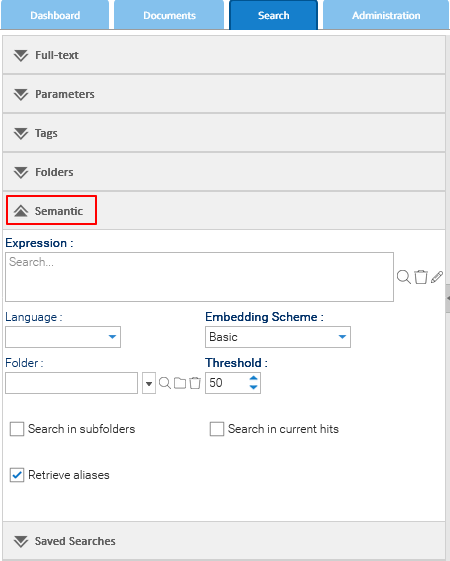
To perform this kind of search, you have to enter a text expression.
How Semantic Search Works
- Document Understanding
Documents are analyzed and converted into numerical representations (embeddings) that capture their meaning. - Query Interpretation
Text entered into the search field is converted into an embedding using the same method. - Similarity Matching
The system compares the query embedding with document embeddings and returns the documents whose meaning is most similar to the query.
Results are ranked based on semantic similarity rather than keyword frequency.
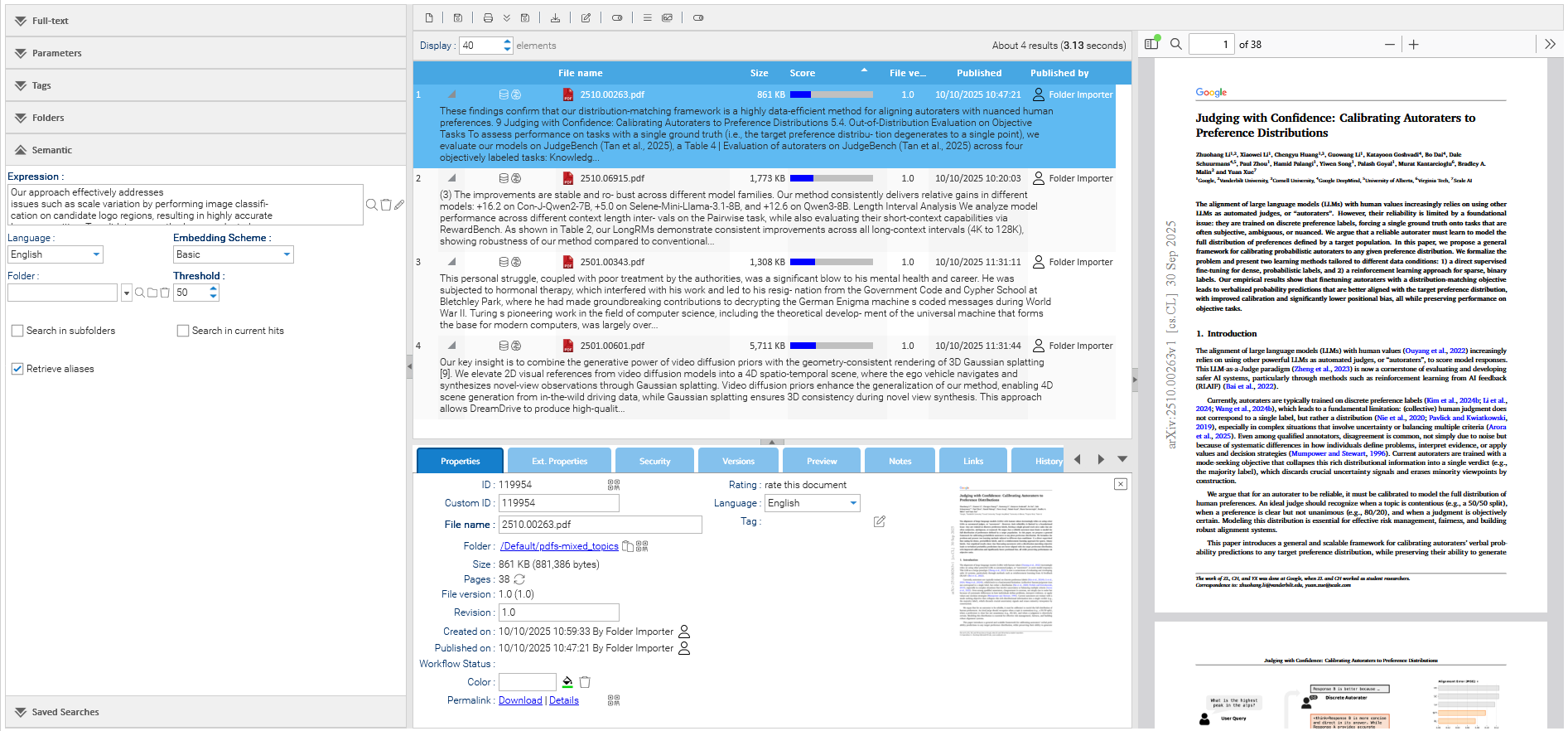
Indexing and Embedding required
Documents are not immediately available for semantic searches: they require to be indexed and embedded first. By default, this happens after 30 minutes but in general this depends on your system's configuration.A set of settings may be used to guide the search.
Language
Specifies the language used to interpret both the query and the document content.
Selecting the correct language improves semantic accuracy.
Embedding Scheme
Defines the embedding model or strategy used to calculate semantic similarity.
Folder
Limits semantic search to a specific folder. Leave it blank to search all accessible documents. Enable subfolder search to include all nested folders.
Threshold
Controls how close the semantic match must be for a document to appear in the results.
Lower values lead to broader results, more loosely related documents
Higher values lead to stricter results, closer semantic matches
A value around 50 provides a balanced trade-off between recall and precision.
Search in Current Hits
If enabled, the semantic search is applied only to the documents already returned by a previous search, allowing incremental refinement.
Retrieve Aliases
Includes documents that are aliases of matching documents in the result set.