




Microsoft Office Addin
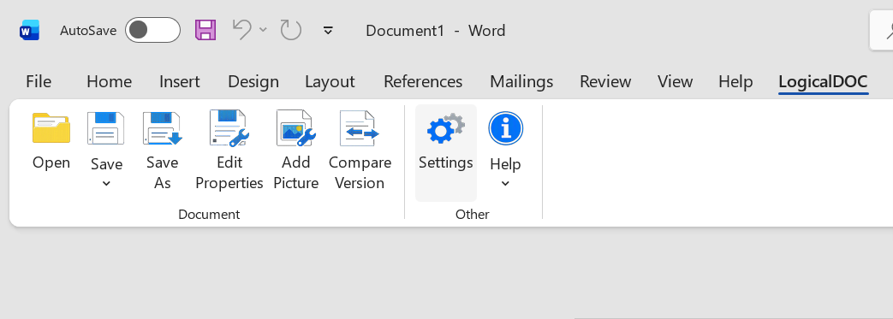
The LogicalDOC Microsoft Office Add-in integrates Microsoft Office applications with the LogicalDOC document management system, allowing users to work with documents stored in the repository directly from their familiar Office environment.
Once installed and connected to a LogicalDOC server, the Add-in allows you to browse and search the document repository, open and edit documents, manage document properties and tags, and save new or modified files directly into LogicalDOC. Versioning and document locking are handled by LogicalDOC, helping users collaborate safely while maintaining the complete document history.
The Add-in integrates with Microsoft Word, Excel, PowerPoint, Visio and Project, providing convenient access to LogicalDOC without requiring users to continuously switch between Microsoft Office and the web interface.
The Office Add-in can also be launched directly from the LogicalDOC web interface using the Edit with Office command available from a document's context menu. When this command is selected, LogicalDOC opens the appropriate Microsoft Office application according to the document's file extension, while the Add-in automatically manages the document editing workflow.
In this mode, the Add-in automatically checks out the document before editing and checks it back in when the document is saved. LogicalDOC therefore handles document locking and versioning transparently, creating the new document version during the save process while the user continues to work in the native Microsoft Office application.
Video overview
Pre-requisites
Microsoft Office must be installed on your Windows PC.
Install the latest version of the LogicalDOC Office Add-in available from the LogicalDOC download website.