




Open a Document
Click the Open button in the LogicalDOC ribbon to open the document browser. From this window, you can browse the LogicalDOC folder tree and view the documents contained in the selected folder.
The document list provides useful information such as the file name, last modification date, version and file size, making it easy to identify the document you want to work with.
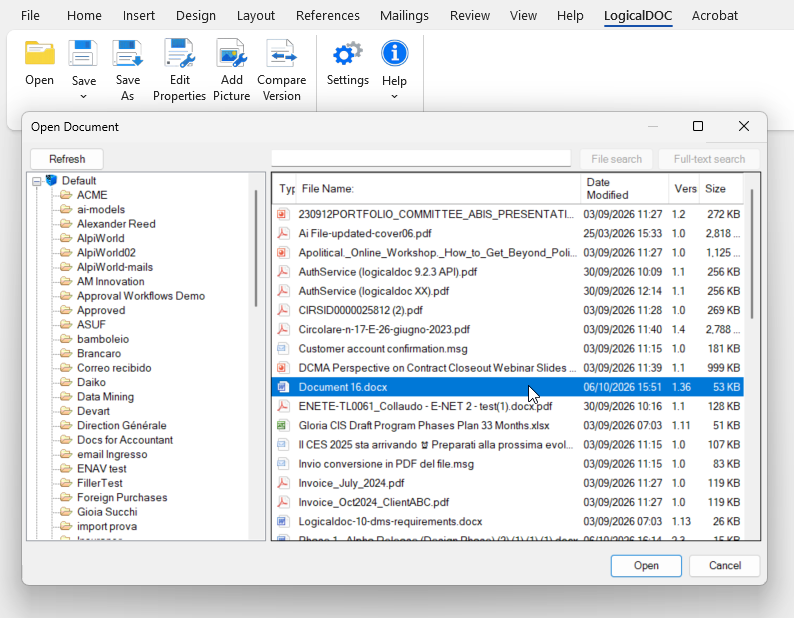
To locate a document more quickly, use the search field at the top of the window. You can search for files without manually browsing through the folder structure.
Select the desired document and click Open. The document will be opened in the current Microsoft Office application, where you can view or edit its contents.
When working with a document stored in LogicalDOC, the Office Add-in manages the communication with the document repository, allowing the document to be edited in Microsoft Office and subsequently saved back to LogicalDOC.