




Folder Templates
A Folder Template is a structure of empty folders and sub-folders that may be applied to an existing folder in order to quickly create a tree within it. You can define as many templates as you want, each template has a name and a tree specification in the form of paths as strings.
The folders' specification is a set of paths, each one defining a folder. Use the / symbol as path separator, e.g.:
folder1/folder2/folder3
folder1/folder2/folder4
folder1/folder2/folder4/folder5
folder1/folder6
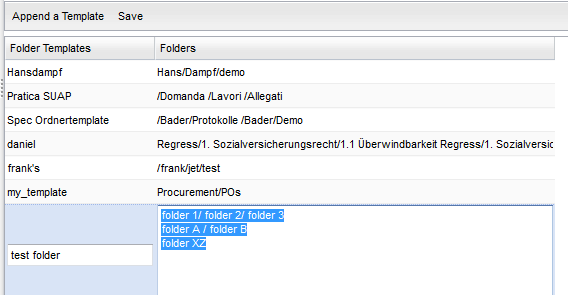
Double-click on an item to change the tree specification and press [Enter] to confirm. To make persistent your changes, click on [Save] button.