




Snippets
→
Warning
Body
Info
Body
Info
Body
Include Drop Table:
| AUTOMATION CONTEXT: VALIDATION | ||
|---|---|---|
| Variable | Java Class | Description |
| object | ExtensibleObject | the object under validation, for instance a Document or a Folder |
| event | History | the current event |
| errors | map of strings. Key is the attribute name, Value is the error description | |
| attributeName | name of the current attribute being validated (only available in attribute validator) | |
| attribute | Attribute | the current attribute being validated (only available in attribute validator) |
| value | value of the current attribute being validated (only available in attribute validator) | |
| error | ValidationError | keeps the error description of the current attribute being validated (only available in attribute validator) |
Put an automation dictionary:
Dictionary available for the Automation in this context
| AUTOMATION CONTEXT: EMAIL IMPORT | ||
|---|---|---|
| Variable | Java Class | Description |
| the email being imported | ||
| account | the account from which the email is being imported | |
| message | the message representation as returned by the mail server | |
| document | the document that will be used to save the email in the repository | |
| documents | list of documents that will be used to save the email and it's attachments in the repository | |
| imports | Pair<EMail, List<Document>> | list of imported messages (Pair email - list of imported documents) during the crawling of the current email account |
| errors | Pair<String, Exception> | list of errors (Pair error nessage - exception) happened during the crawling of the current email account |
Read the Automation manual for more information.
Include a video from YouTube:
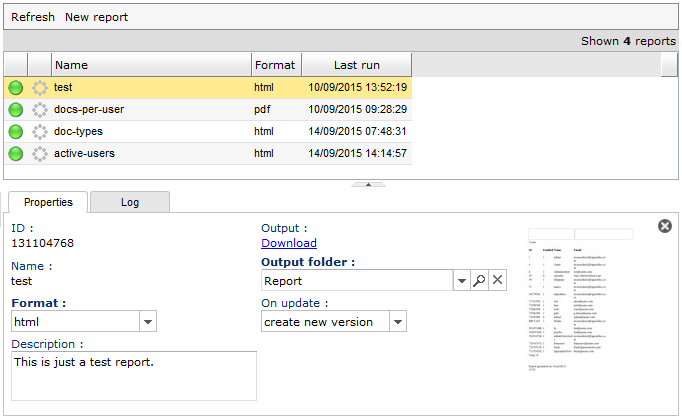
Put an image as lightbox:
Pre-formatted text:
$ sudo apt-get install ghostscript
$ sudo apt-get install imagemagick
$ whereis convert
$ convert –version
| Minimum Hardware Requirements | |
|---|---|
| Server | 2.4 GHz 32-bit (x86) or 64-bit (x64) dual core processor 6 GB of system memory 1 GB of storage for the application data and repository storage as needed. |
| Workstations | 2.0 GHz 32-bit (x86) or 64-bit (x64) processor 1 GB of system memory 50 MB storage space Broadband connection to server |
| Minimum Software Requirements | |
| LogicalDOC Server Installer Package | Red Hat Enterprise Linux 7 (32-bit and 64-bit) SUSE Linux Enterprise Server 10 (32-bit and 64-bit) CentOS Linux 6 (32-bit and 64-bit) Ubuntu 14 (32-bit and 64-bit) Microsoft Windows 2008 Server (32-bit and 64-bit) Microsoft Windows 7 (32-bit and 64-bit) MAC OS X Lion (OS X 10.8) Java JDK 8 |
| Supported Browsers | Firefox 40 Internet Explorer 11 Edge 25 Google Chrome 40 Safari 6 |
