The Zero-Shot model enables automatic classification of documents into user-defined categories without requiring prior training on those specific labels. This allows the system to dynamically assign tags based on the semantic meaning of the content, making it particularly useful for flexible and adaptive document classification tasks.
How the Zero-Shot Model Works
The Zero-Shot model evaluates how well a document matches a set of candidate labels by leveraging a pre-trained Natural Language Processing (NLP) model.
Instead of learning from task-specific examples, the model uses Natural Language Inference (NLI) to determine whether a given label is relevant to the input text.
In simple terms, the process works as follows:
The document content is provided as input
A set of candidate labels (tags) is defined by the user
The model compares the document against each label
Each label is assigned a confidence score
The most relevant labels are returned
This approach allows classification without retraining, making the model highly versatile across different domains.
Test the Model
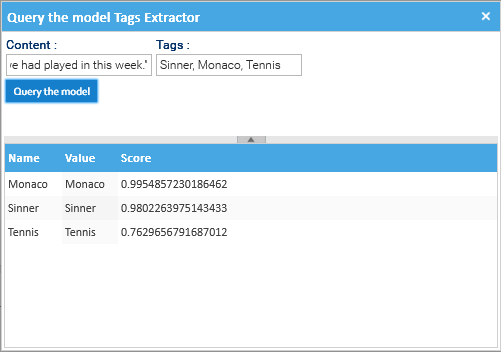
To quickly test the model, you can right-click on the model, and select Query the Model, and fill the required fill (Content and Tags).
For this example, the content used was:
The Monaco decider was the first meeting of the top two in the world since Sinner won in straight sets in the final of the ATP Championship last November.
In a tense and tight match with plenty of big shots, both players struggled with the windy conditions, which added an element of unpredictability to proceedings and led to 83 unforced errors between the pair.
The win gives the 24-year-old Italian his third Masters 1000 title of the year having already triumphed at Indian Wells and Miami, and extends his winning run in Masters series events to 22 matches.
"It has been an interesting week trying to learn how to play again on clay," said Sinner.
"I came here trying to get as many matches as possible and I'm happy to win one big tournament on this surface.
"Having this trophy and getting back to number one means a lot to me.
"Today was a very high level from both of us. It was a bit breezy and different conditions to what we had played in this week."
The tags used:
Sinner, Monaco, Tennis
The results are ordered in descending order of confidence score, with the most relevant labels appearing first.
Artificial Intelligence
Artificial Intelligence or simply AI, could be defined as a technology that enables machines to simulate human learning, comprehension, problem-solving, decision-making, creativity and autonomy.
Beyond such introduction, there is no single, simple definition of Artificial Intelligence because AI tools are capable to performs tasks under varying and unpredictable circumstances without significant human oversight and can learn from experience and improve performance when exposed to data sets.
LogicalDOC contains a general purpose AI engine with which you can solve problems even not strictly related to document management, but with the advantage of being able to benefit from all the potential of a Document Management System to manage large volumes of data necessary for training.
Models
AI models are programs that implement an algorithm designed to solve a problem in the same way it would do a human brain, you can also look at them as artificial brains enabling systems to learn from data and perform tasks like analysis, prediction, and content generation.
At the time of writing, LogicalDOC supports this set of models:
Neural Network: useful to predict the category or nature of an object on the basis of input data
Classifier: uses Natural Language Processing (NLP) to catalog a naturally written text
Tokens Detector: uses Natural Language Processing (NLP) to extract tokens from a naturally written text
Models cannot do anything without having been trained: like children, they must learn from experience in order to 'understand' how to solve a given problem.
In AI, this experience is built through a process called training that basically presents to the model a huge dataset of examples. The size and quality of the dataset impacts the model's ability to identify patterns in the data and therefore to understand the problem.
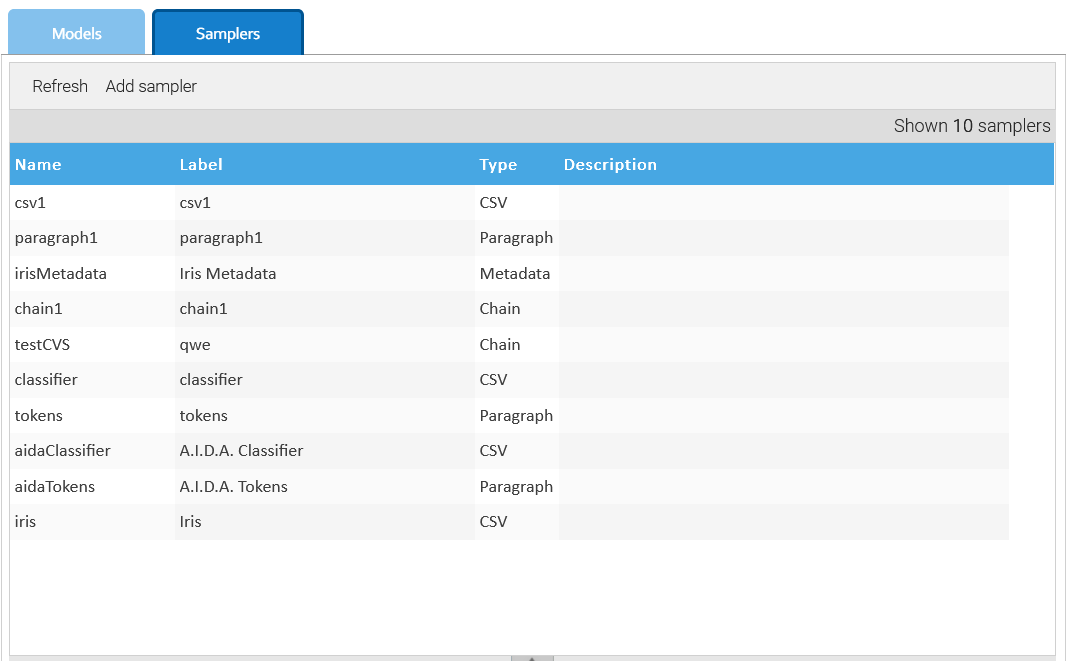
Samplers are those objects responsible for retrieving data used in training the models.
Quote: the character used to enclose the value of a field
Document: the CSV document that contains the data
Paragraph
Extracts the paragraphs, interpreted as blocks of text separated by blank lines. Expected format of each resource is this one:
A colleague of mine told me that the document 12356897 contains very important information, so I want to get it. Understood, but are you registered as LogicalDOC's user? If you are a user, just access the interface and then execute a search by document id = 12356897.

Where can I locate a specific file? I was not able to find what I was looking for. Ok, just enter LogicalDOC and search for document with ID -96668429, it is very easy. Sure! Easy and quick, many thanks for your hint.
The example above will produce two paragraphs.
Document: the text document that contains the data
Metadata
Extract samples from a list of documents. By default the extended attributes of the documents are considered as the features, and so all the documents in the referenced folder must share the same attributes scheme. With the Automation you may also extract whatever data for each document.
Folder: the folder that contains the documents to process
Category: name of the extended attribute that contains the category, optional
Features: ordered comma-separated list name of extended attributes used to store the feature values
Automation: an automation script used to extract a sample from a source document accessible via the dictionary key $document
Chain
Collects the samples extracted by a collection of other samplers
Chain: ordered list of samplers
AI Models
An AI Model (or simply model) represents a program that has been trained on a set of data to recognize certain patterns or make certain decisions without further human intervention.
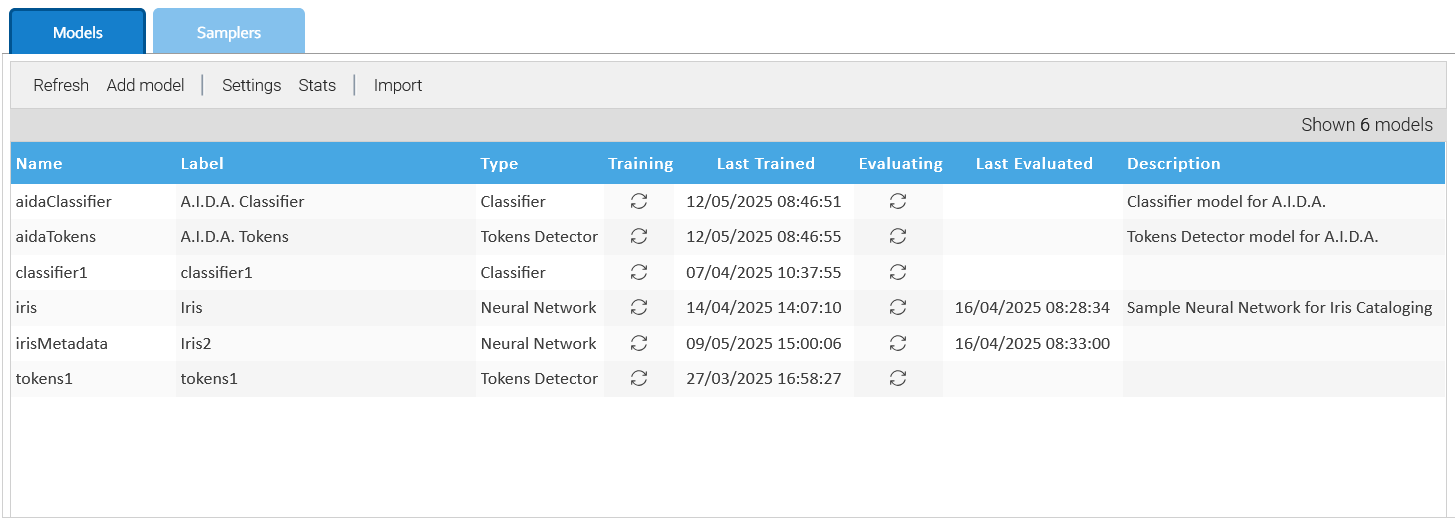
You handle the models in Administration > Artificial Intelligence > Models
You can count on different types of models to implement specific AI algorithms, with different settings.
Settings
You create your own models by clicking on Add model or edit an existing one.
The settings panel is different depending on the kind of model and allows you to properly configure all its aspects.
Training
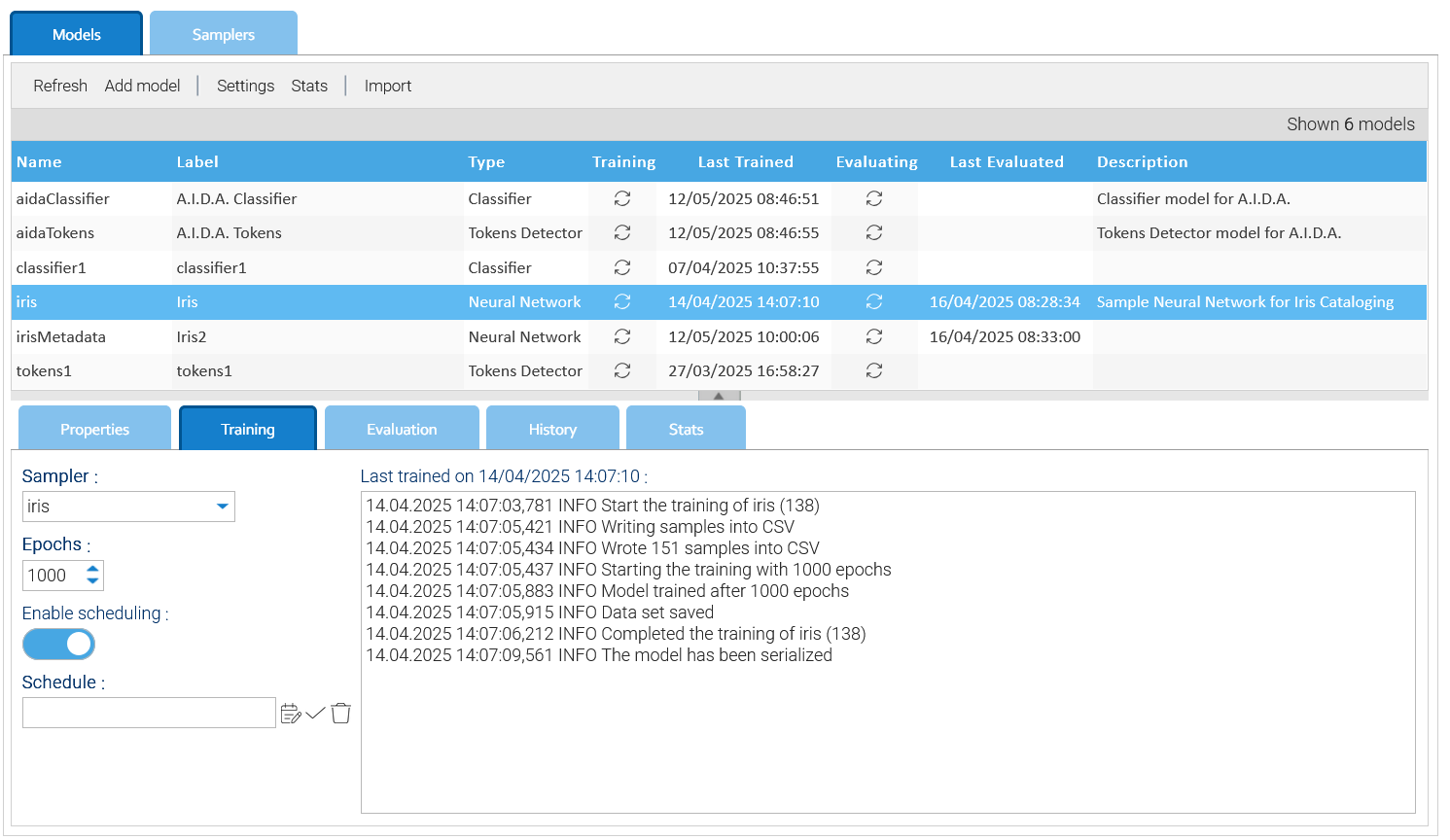
Because each model must be trained first, the Training tab is the place where you instruct the system on how to execute such activity.
The most important setting is the Sampler that allows you to choose among the list of samplers you previously created.
Quite all the models require more training cycles, this you specify in the Epochs the number of iterations you want when training the model.
The mode epochs you put, the more accurate the model you get, but the training operation will take more time.
If the data set you use to train the models changes regularly, it would be a good to flag the Enable scheduling option and provide a Schedule, this way the model will be constantly trained.
At any moment, you can manually force the training by using the Start training item of the contextual menu.
You may enable the Save samples option in case you want the trainer to also save a file containing all the samples extracted by the sampler.
Training output
The completion of the training is reflected in the models grid but also in the log area of the training tab where you can see how the operations were performed.
The trained model is then saved in LogicalDOC itself as a regular document in the default folder /Default/ai-models as well as other files depending on the nature of the model.
You may change the path where LogicalDOC saves the training results using the Settings button of the toolbar.
Querying the model
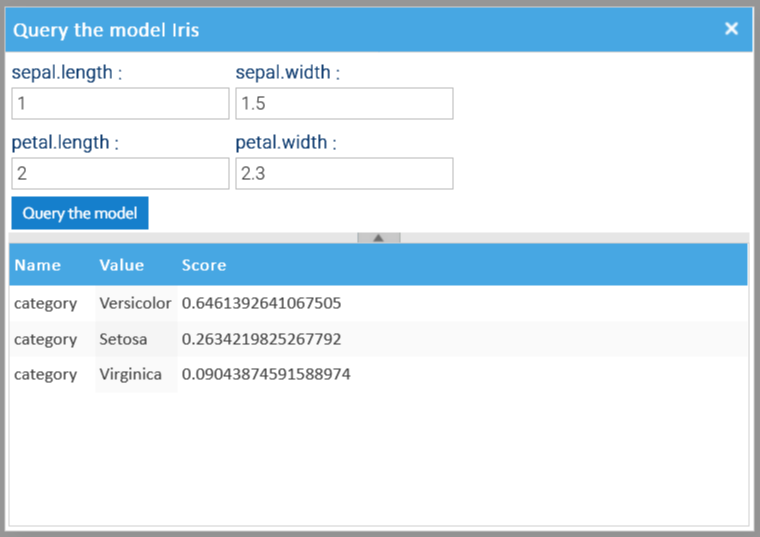
After the model has been trained, you can query it. To do so, just choose the context menu item Query the model to open the query dialog and input the sample to evaluate.
The possible results are displayed below, ordered by descending score.
History and Statistics
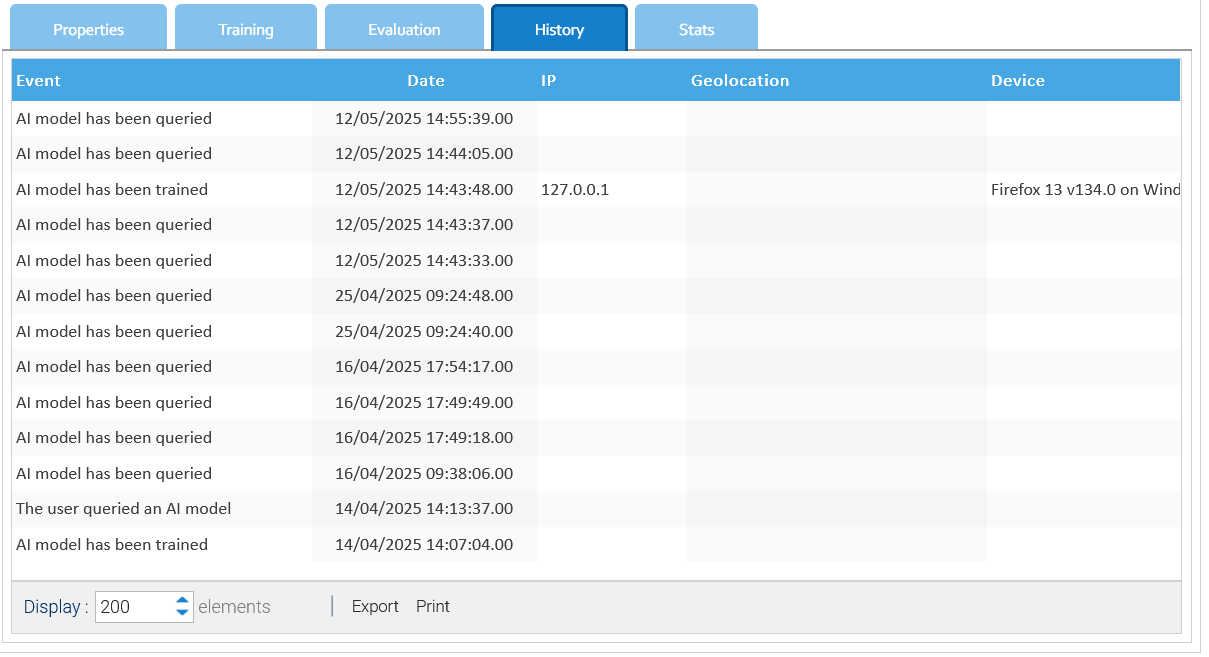
In the History tab you find the list of events related to the current model.
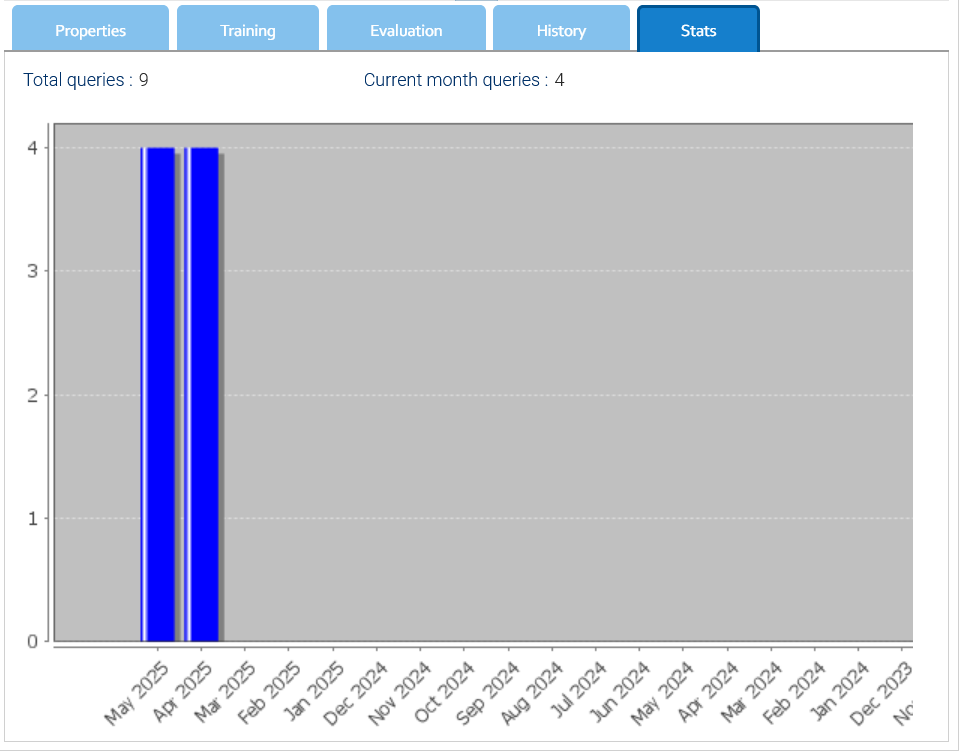
Inside the Stats tab there is a graphical representation of the total queries per month.
Export and Import
Models can be exported and imported, this has been thought to allow you to prepare and train your models in a LogicalDOC installation and then import them already trained in the production system.
To export a model, just choose the option Export of the contextual menu. It will download a compressed archive containing both the model definition, and it's training.
In a target system where you want to import a previously exported model, click on the Import button of the toolbar, you will be asked to upload the archive and provide the name for the new model.
In case you want to update an existing model, just select it and choose the Import item of the contextual menu, you will then to upload the archive and overwrite the current model.
Neural Network
A neural network is an AI model that teaches computers to process data by modeling it on how the human brain works. It is a type of machine learning (ML) process, called deep learning, that uses interconnected nodes or neurons in a layered structure that resembles the human brain. It creates an adaptive system that computers use to learn from their mistakes and continually improve. Artificial neural networks thus attempt to solve complex problems.
How a Neural Network works
The architecture of a neural network is inspired by the human brain. Human brain cells, called neurons, form a complex, highly interconnected network and send electrical signals to each other to help humans process information. Similarly, an artificial neural network is made of artificial neurons that work together to solve a problem. Artificial neurons are software modules, called nodes, and artificial neural networks are software programs or algorithms that essentially use computing to solve mathematical calculations.
A basic neural network has artificial neurons interconnected at three levels:
Input Layer
Information from the outside world enters the neural network at the input layer. Input nodes process the data, analyze or categorize it, and pass it on to the next layer.
Hidden Layer
Hidden layers take their input from the input layer or from other hidden layers. Artificial neural networks can have a large number of hidden layers. Each hidden layer analyzes the output from the previous layer, processes it further, and passes it to the next layer.
Output Layer
The output layer returns the final result of all the data processing through the artificial neural network. It can have one or more nodes. For example, if we have a binary classification problem (yes/no), the output layer will have a single output node, which will return either 1 or 0. If, however, we have a multi-class classification problem, the output layer could consist of multiple output nodes.
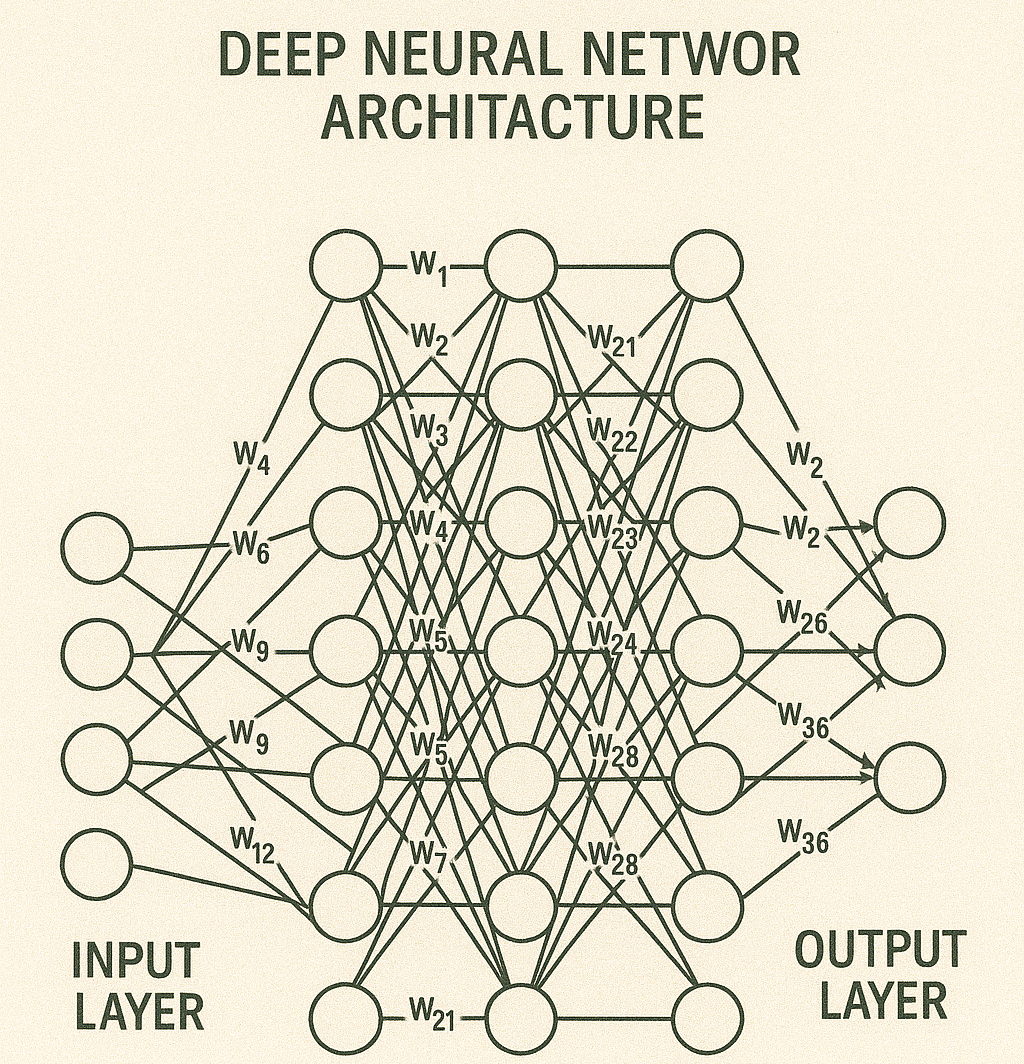
Deep Neural Network Architecture
Deep neural networks, or deep learning networks, have multiple hidden layers with millions of artificial neurons connected to each other. A number, called a weight, represents the connections between each node. The weight is positive if a node stimulates another node, negative if it suppresses it. Nodes with higher weight values exert a greater influence on the others. Theoretically, deep neural networks can map any type of input to any type of output. However, they require more training than other machine learning methods. They require millions of examples of training data, compared to the hundreds or thousands that a simpler network needs.
Activation Function
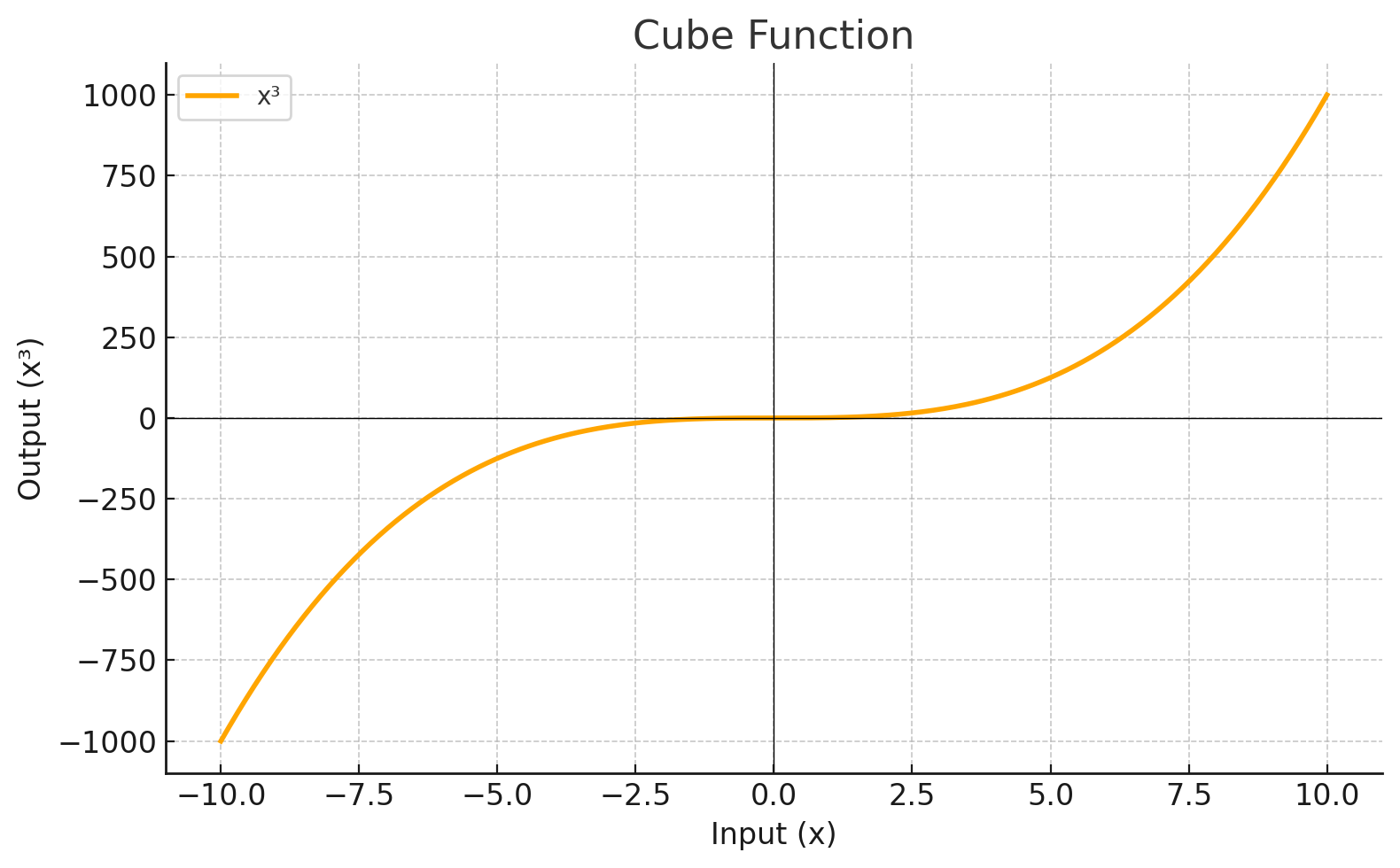
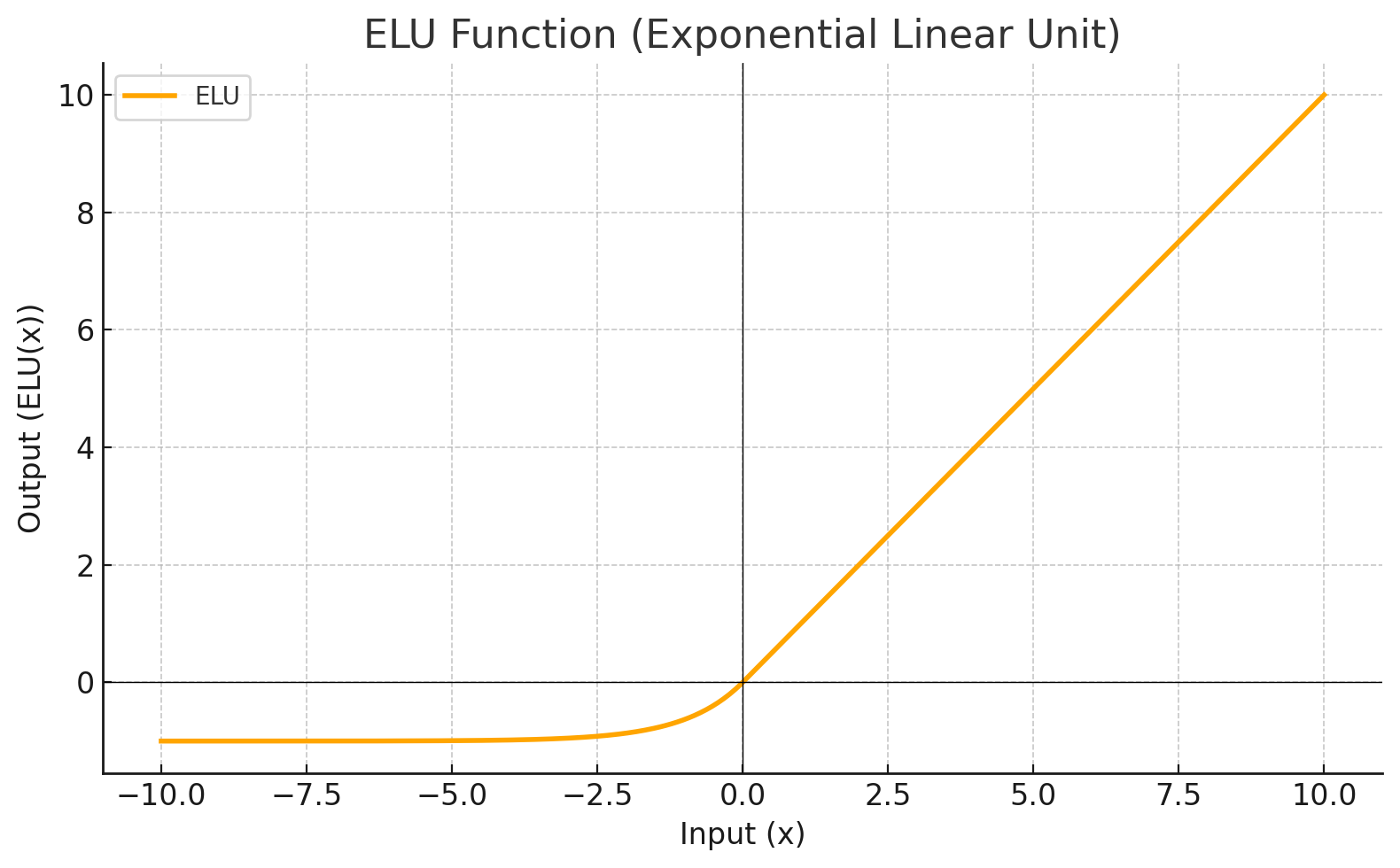
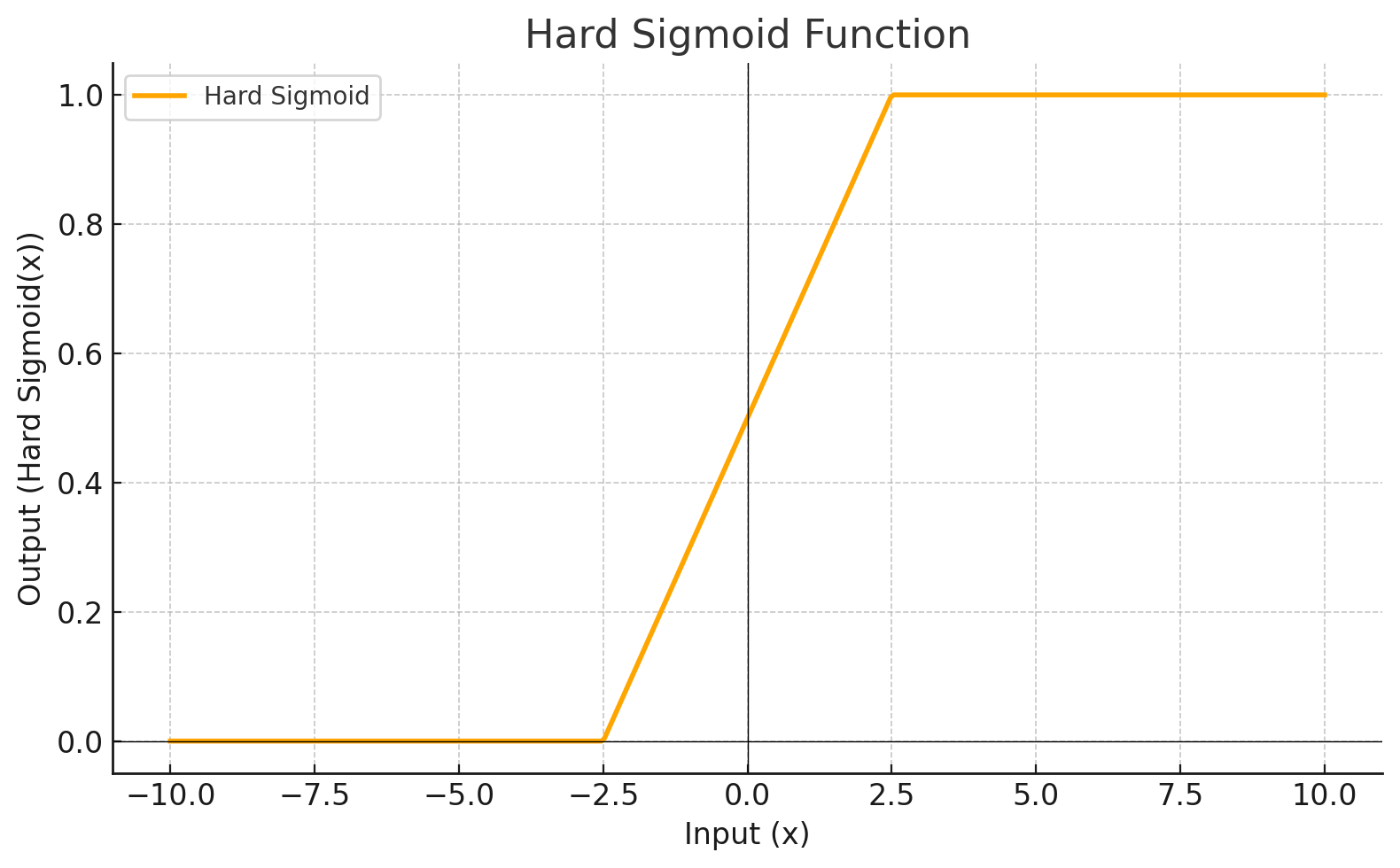
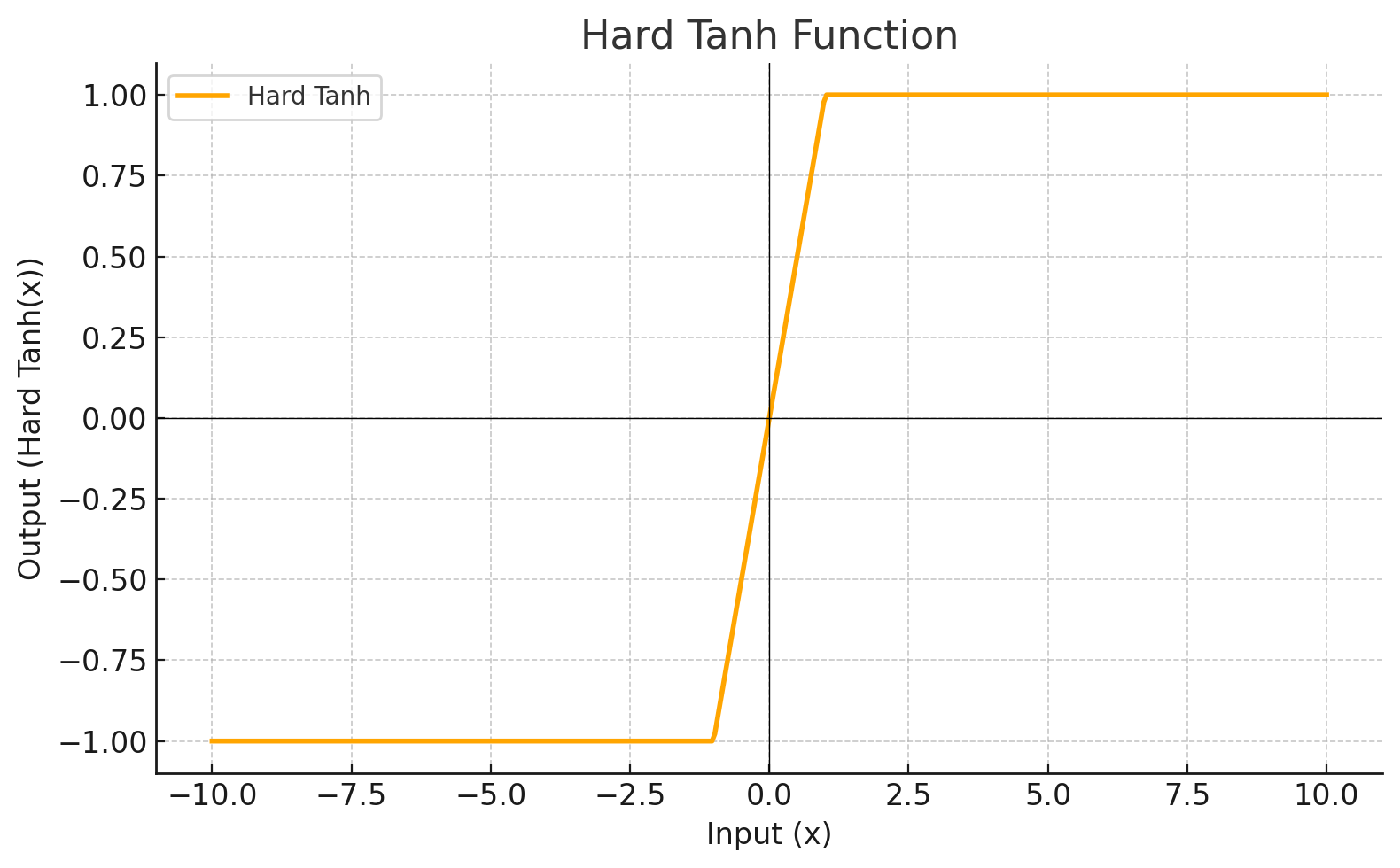
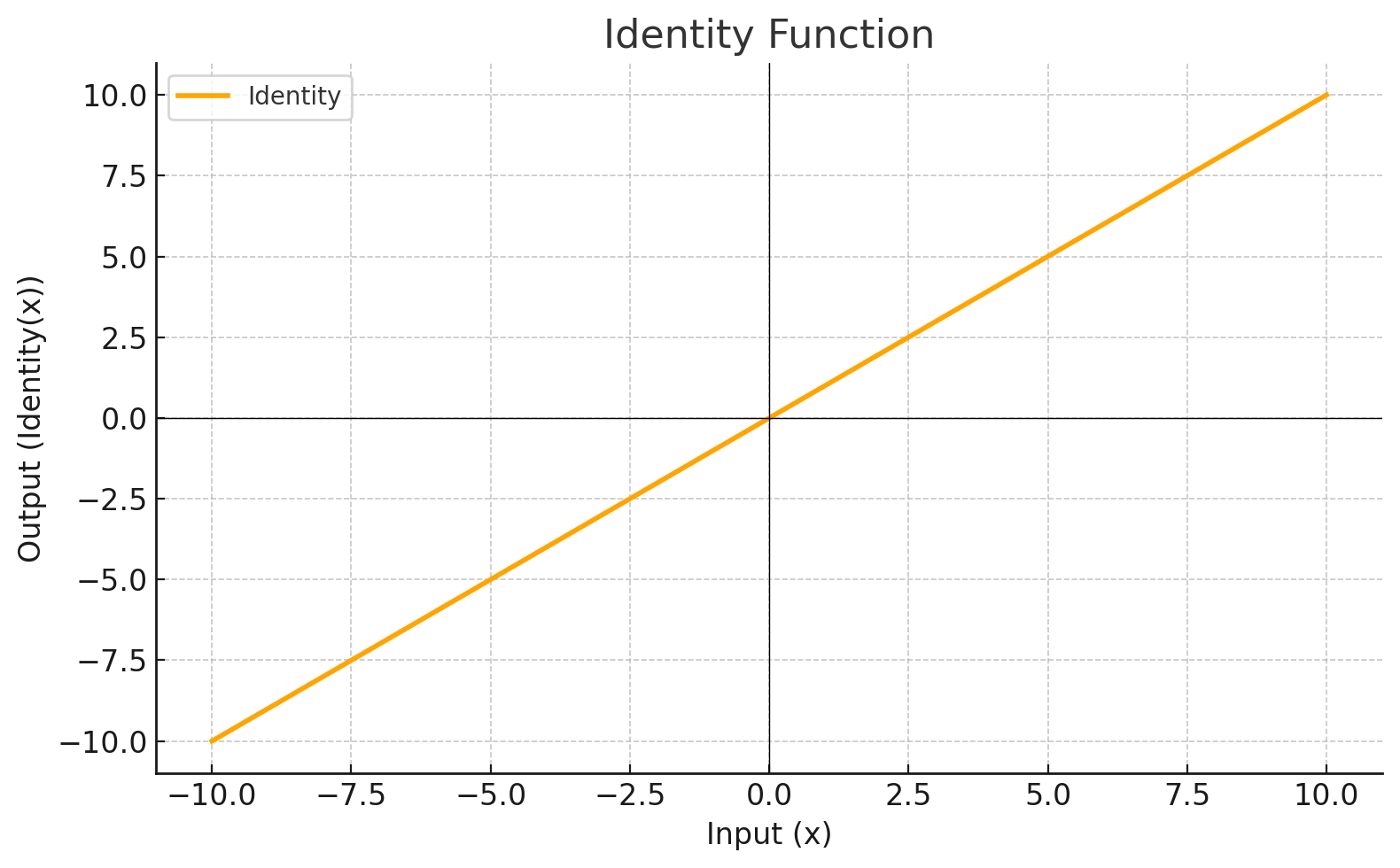
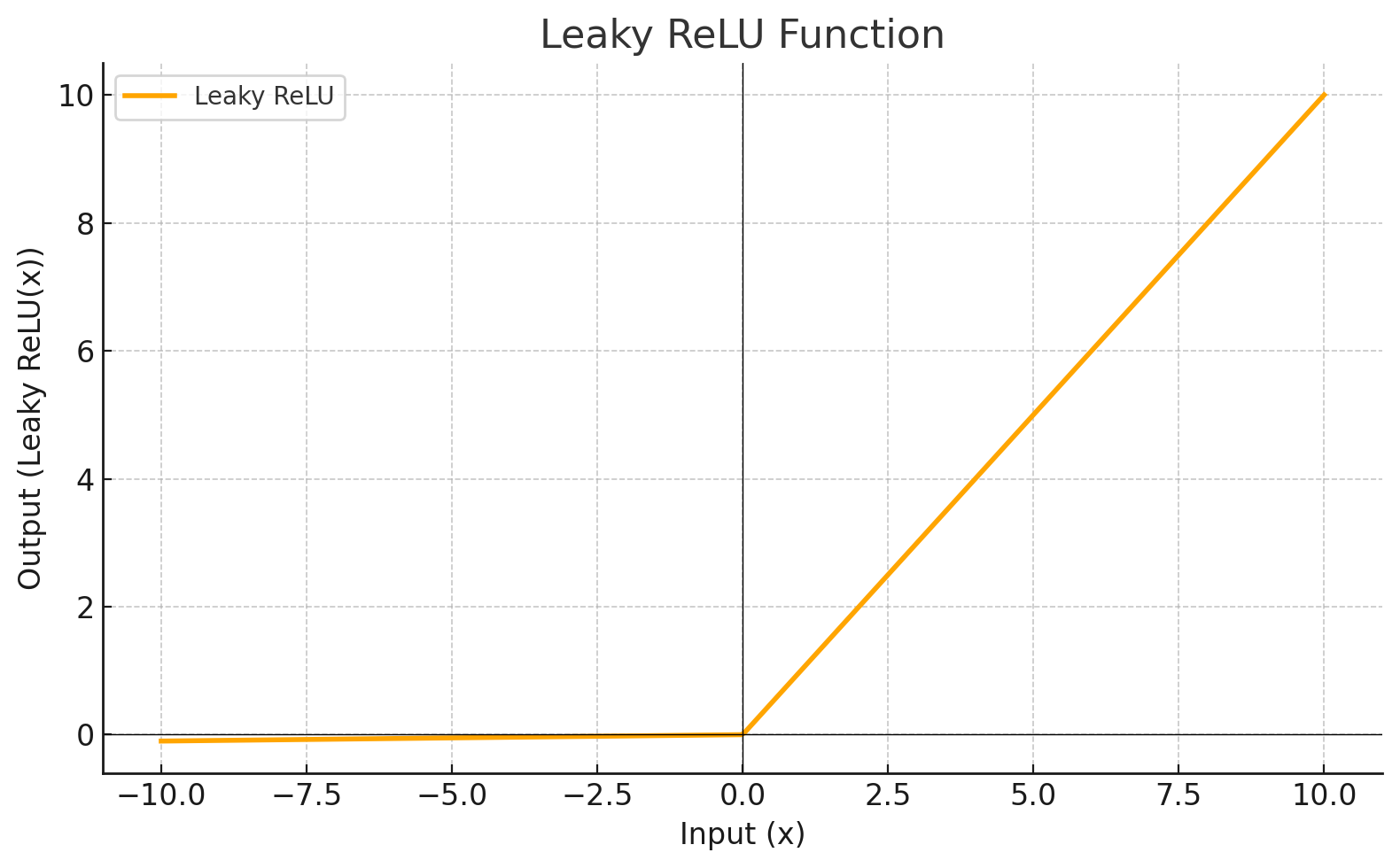
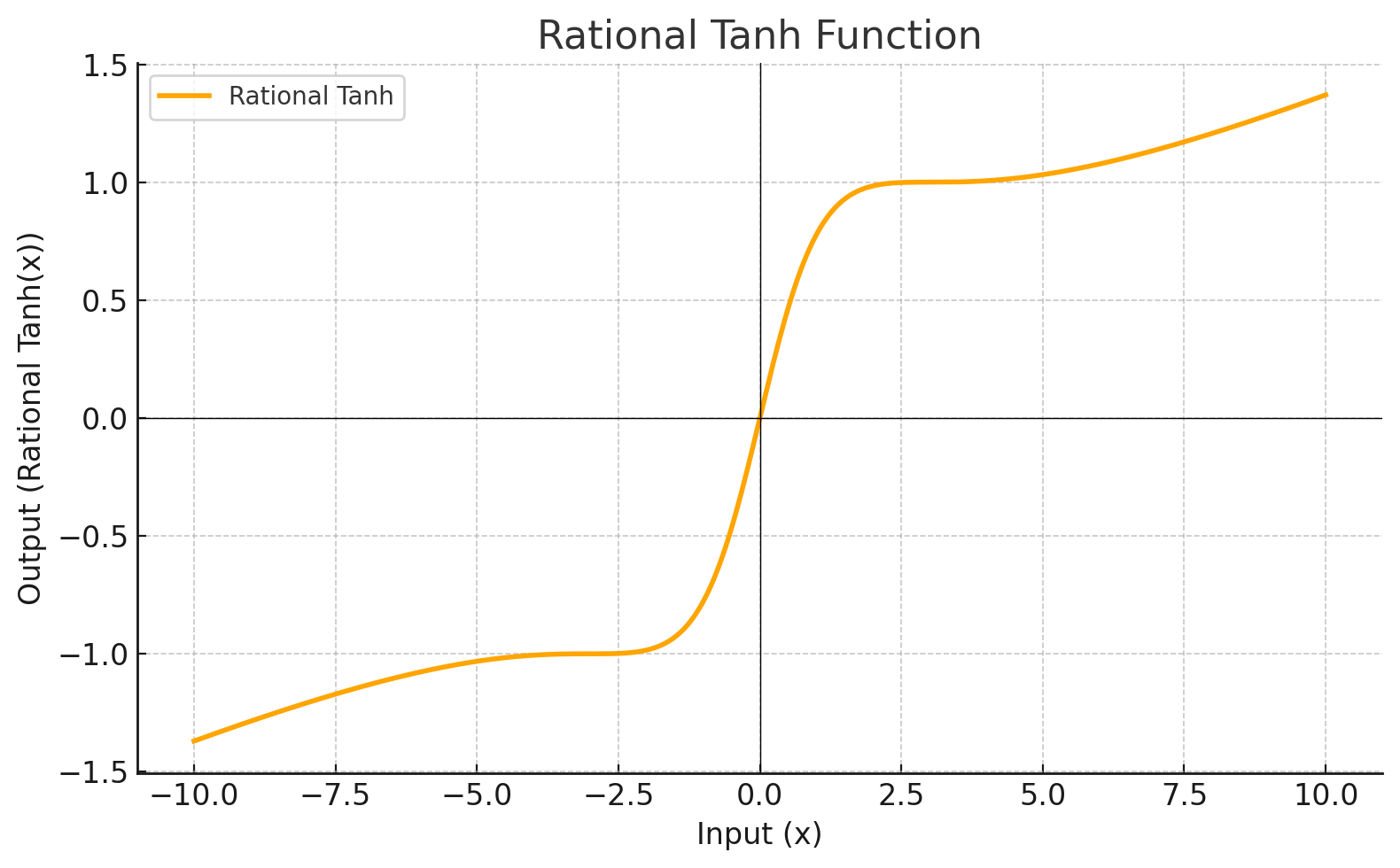
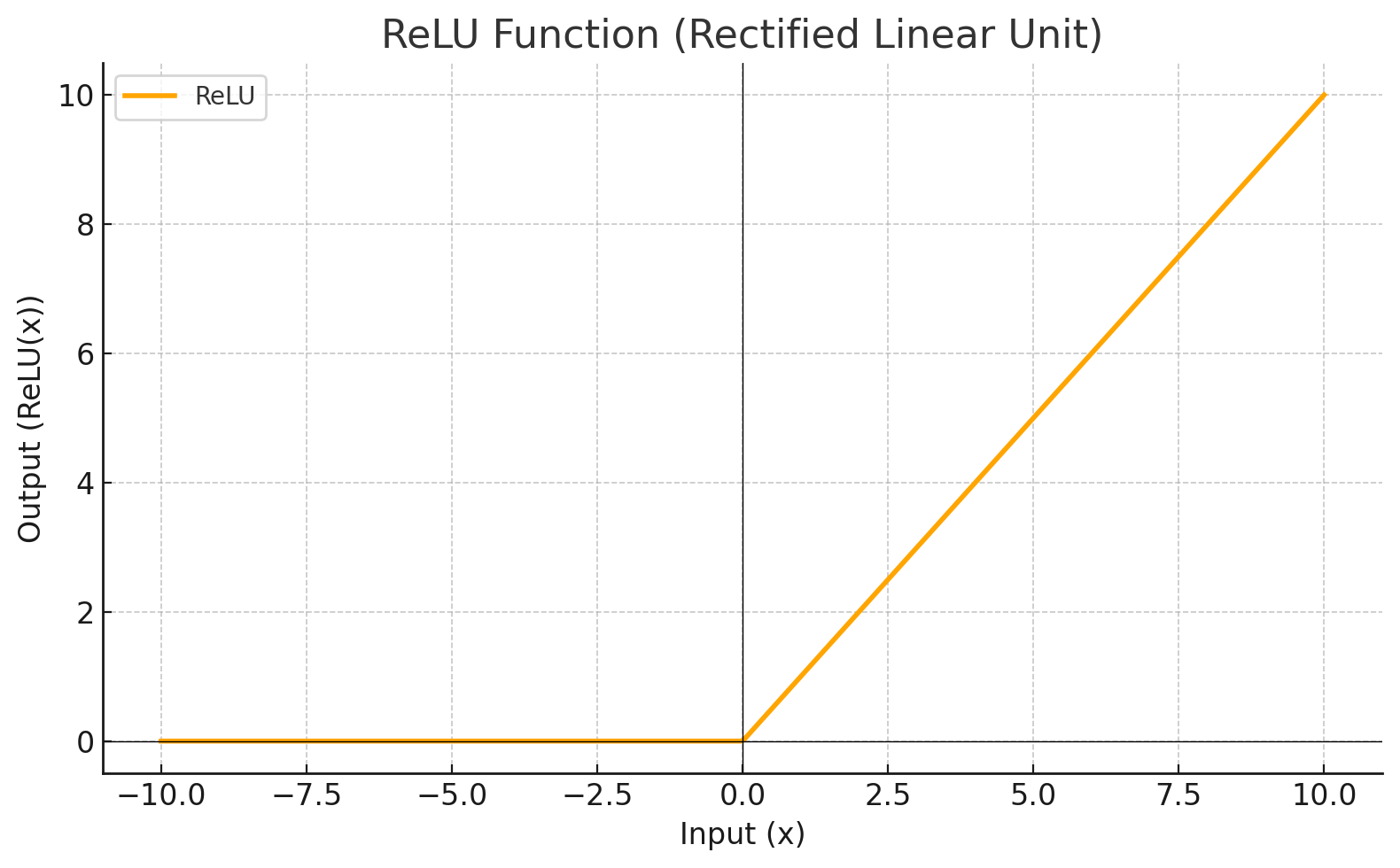
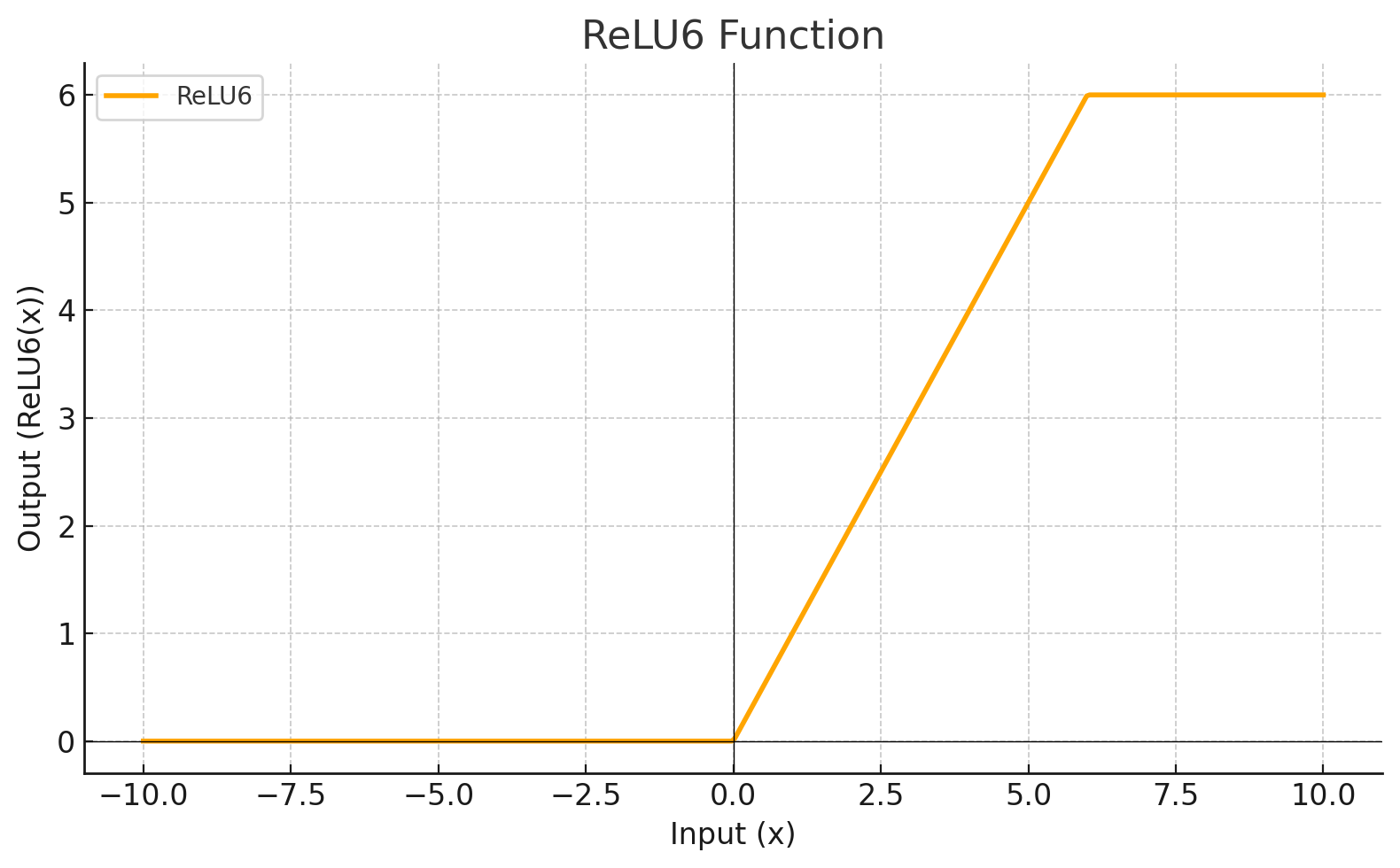
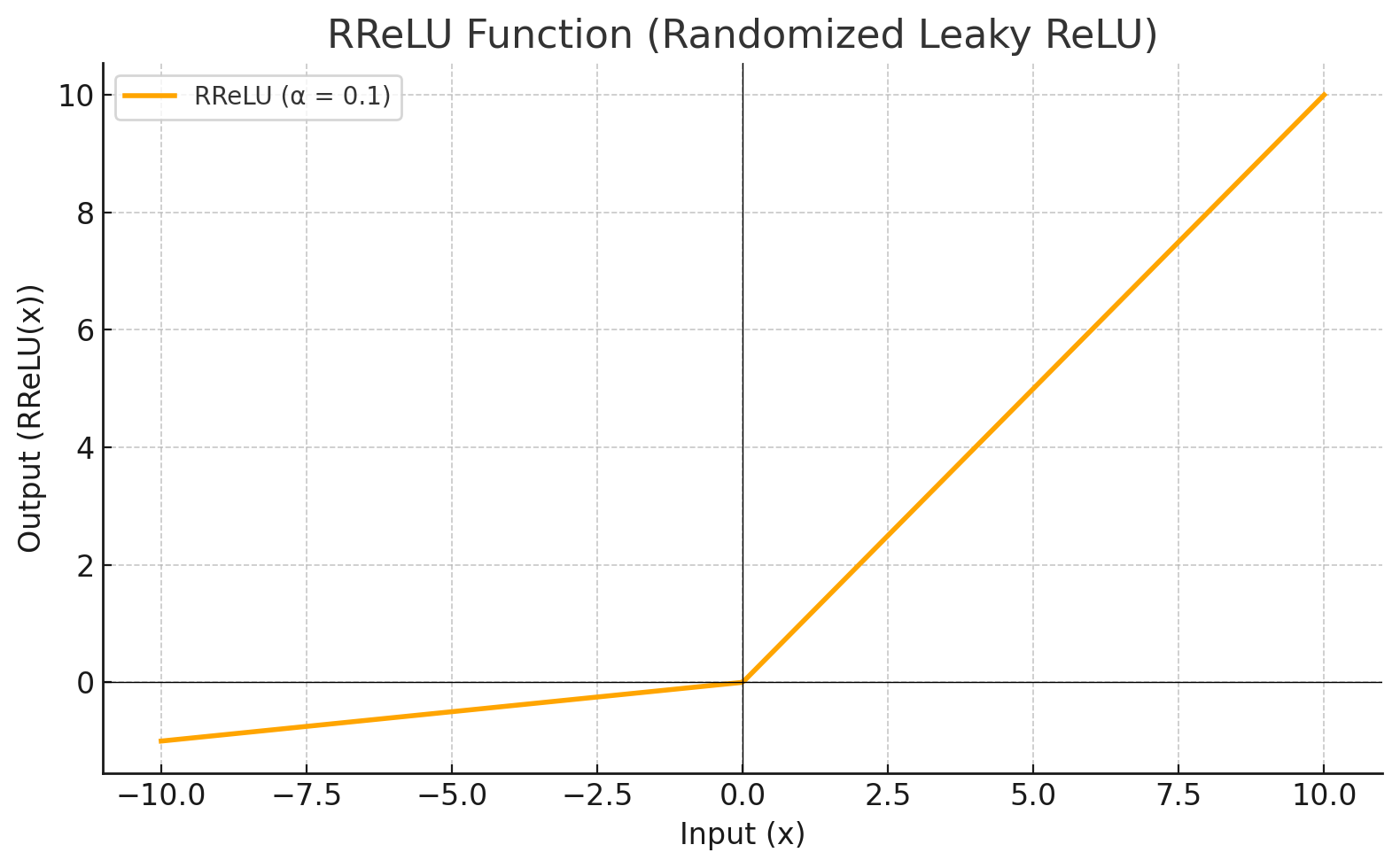
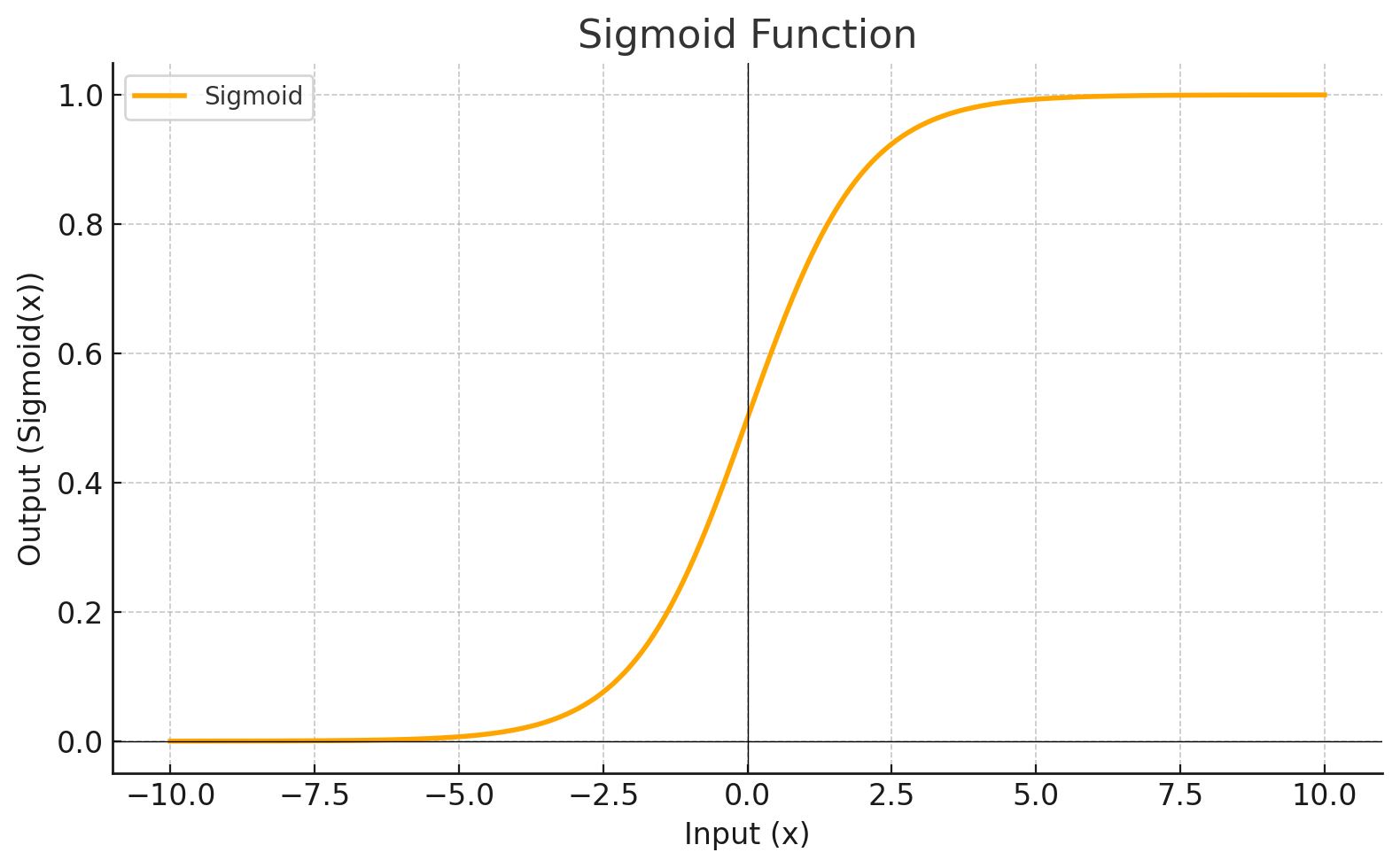
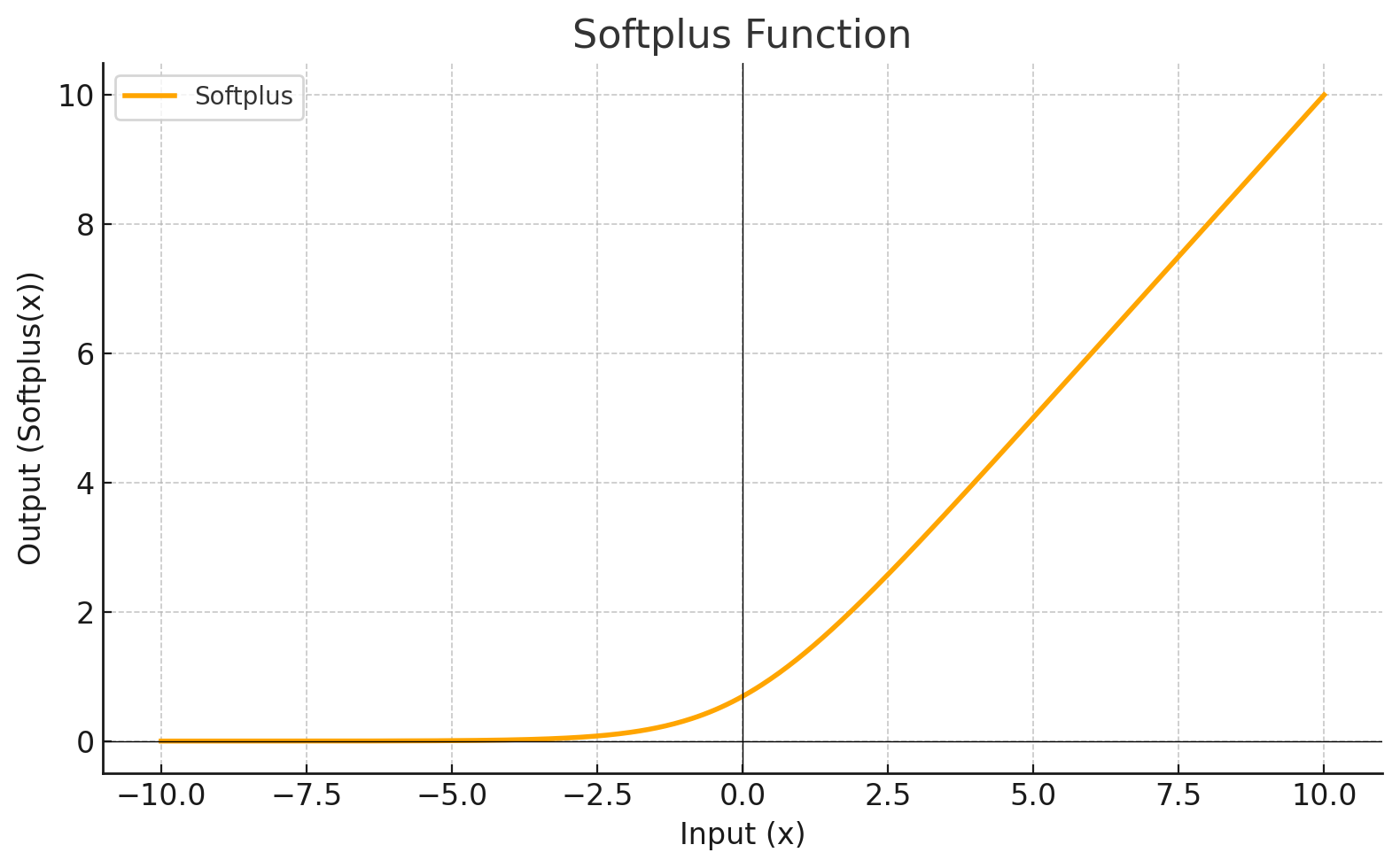
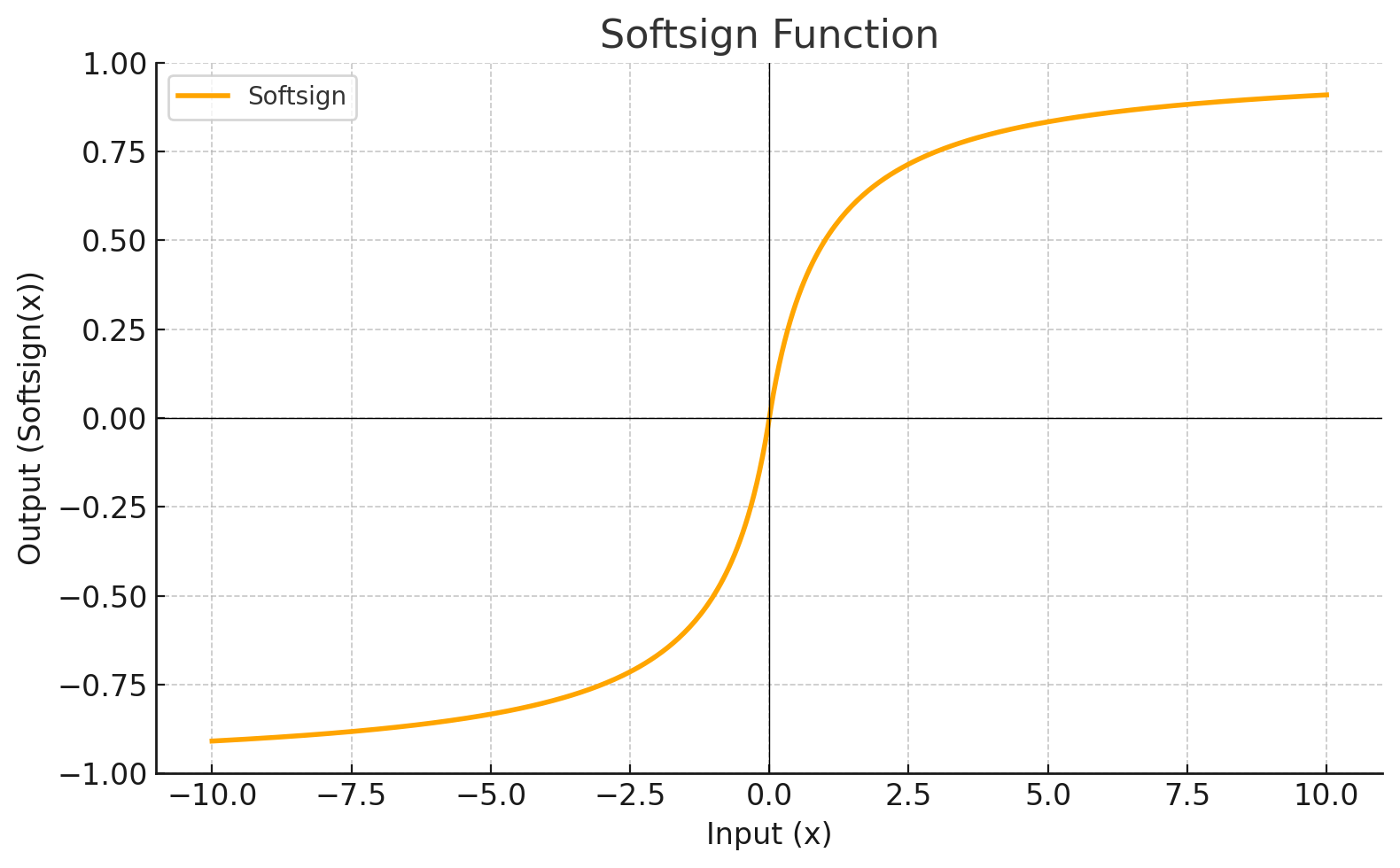
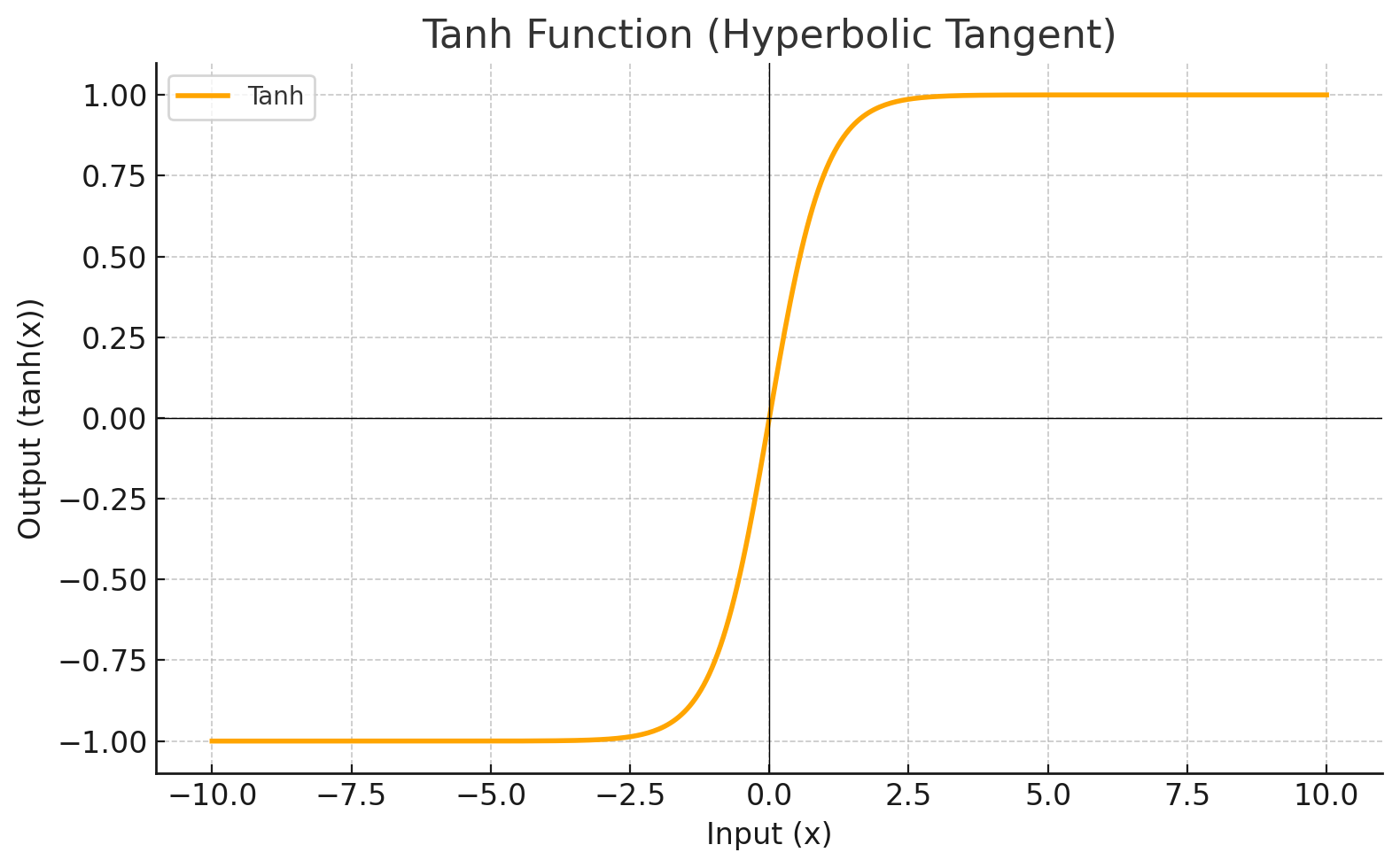
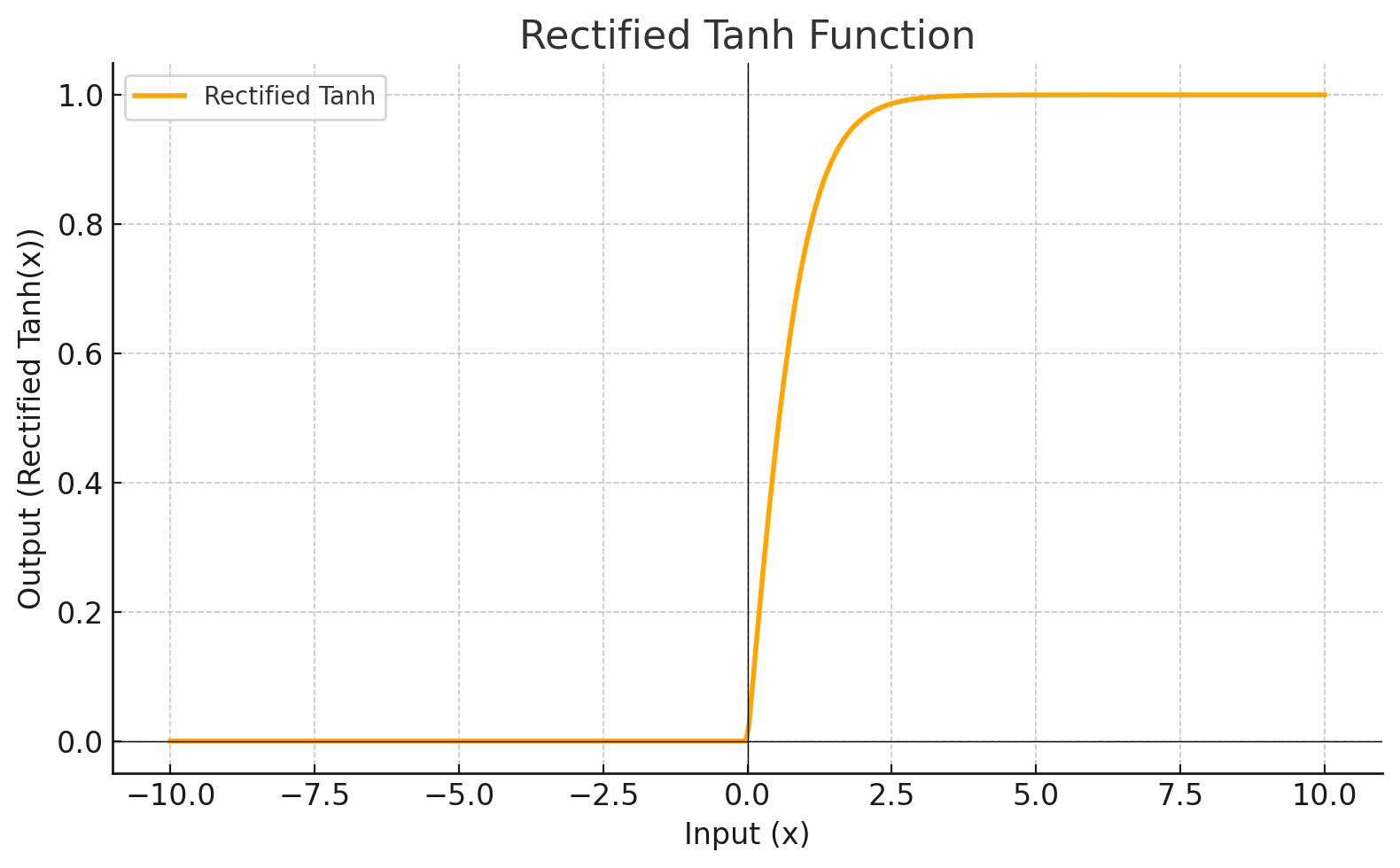
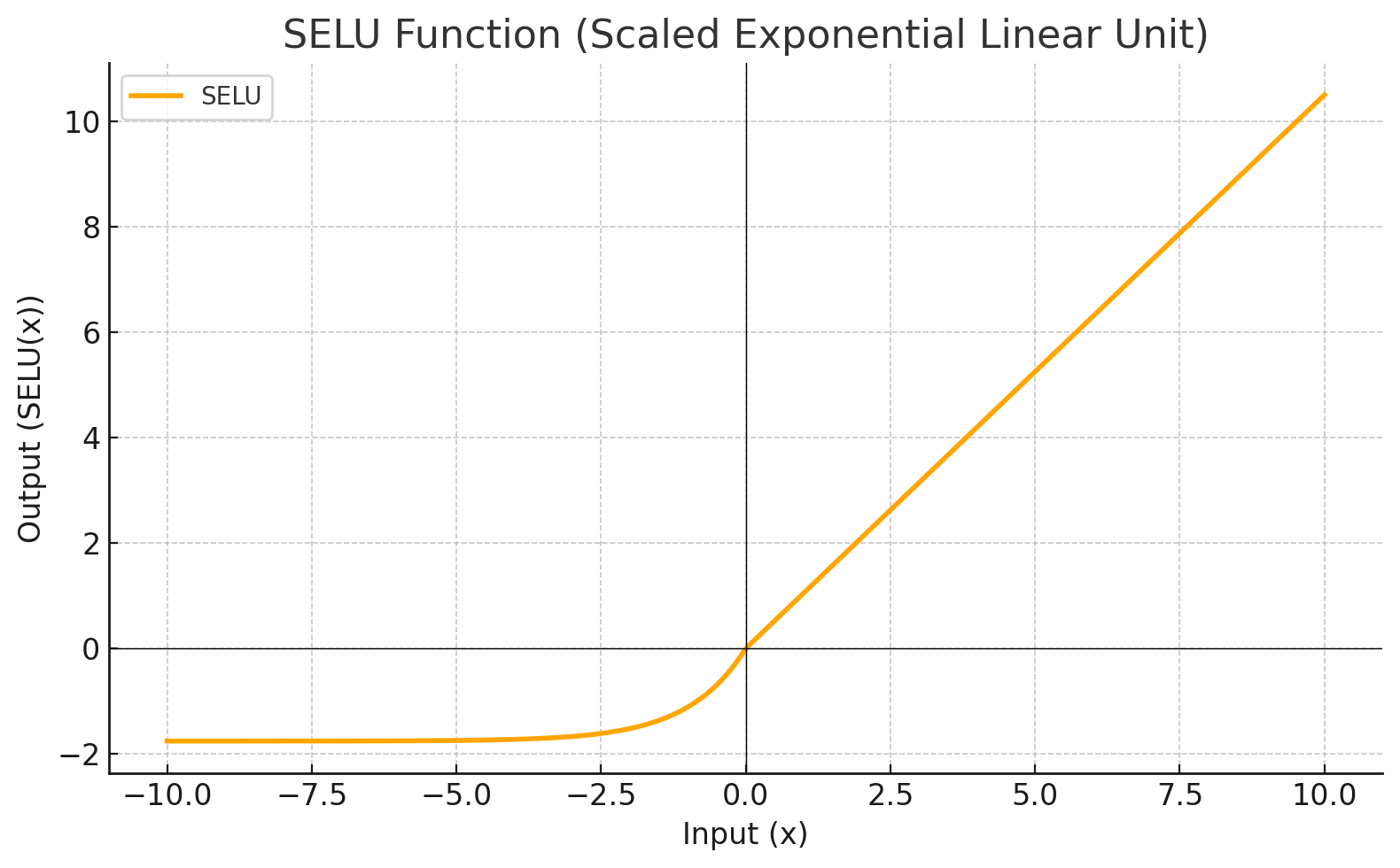
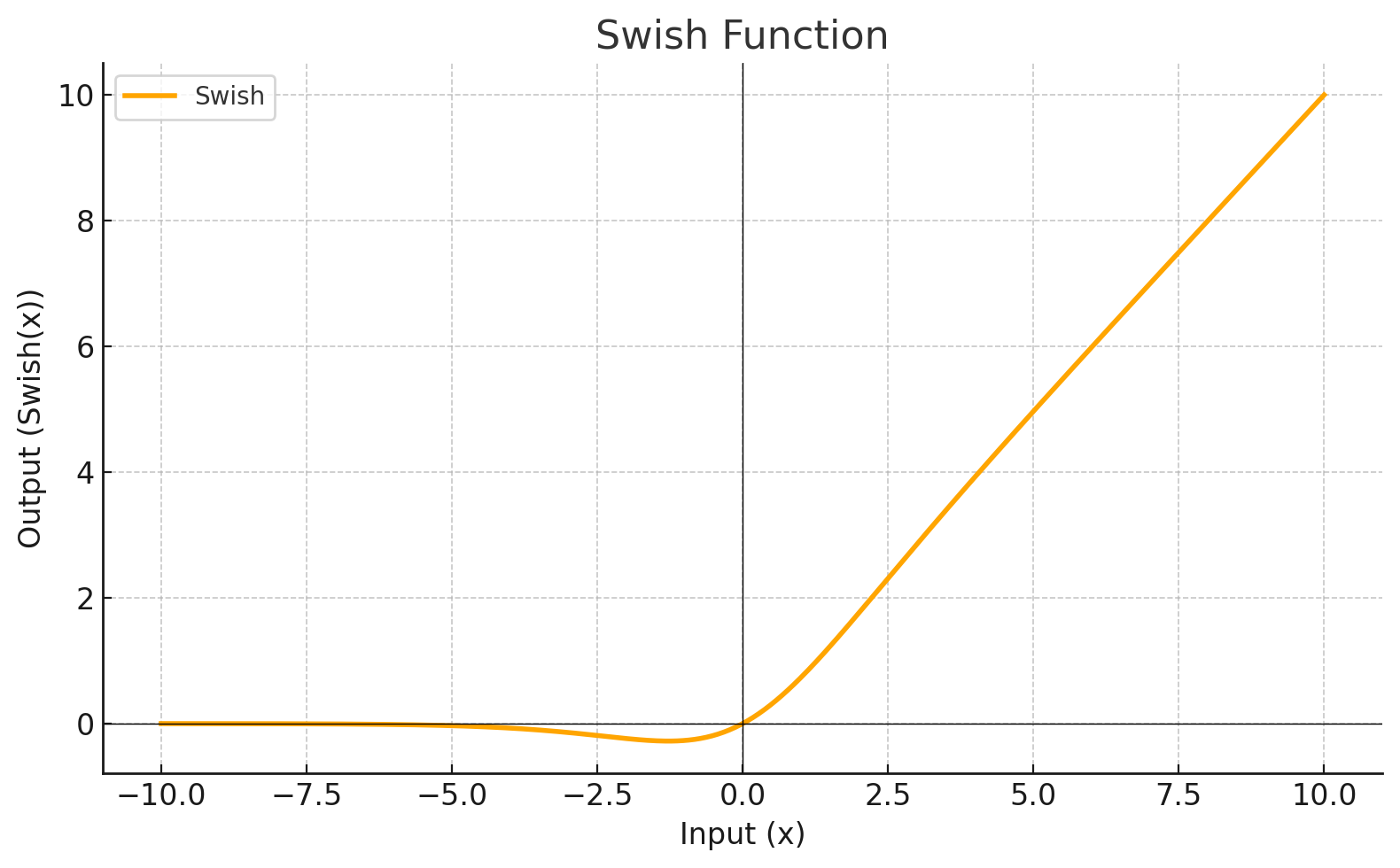
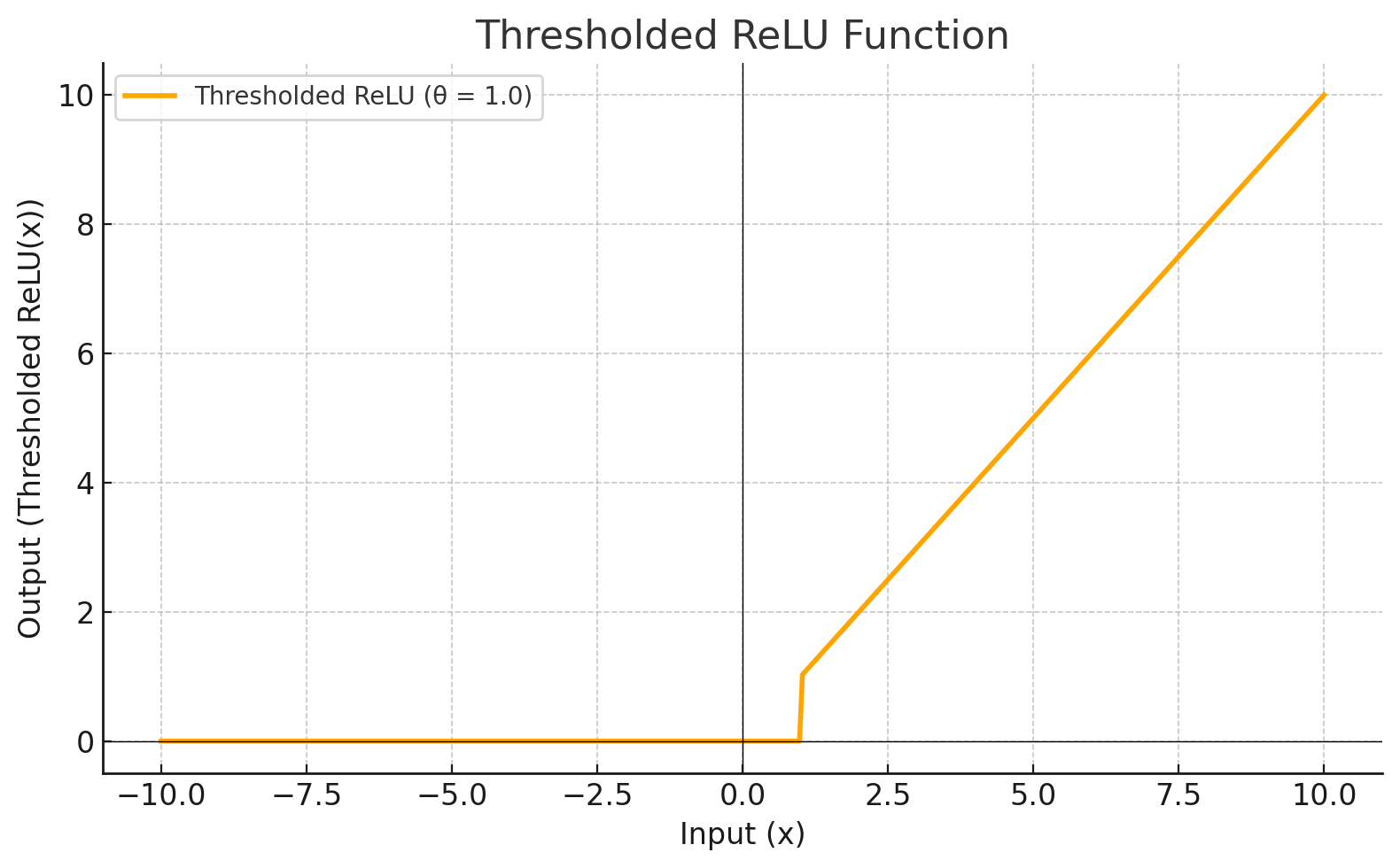
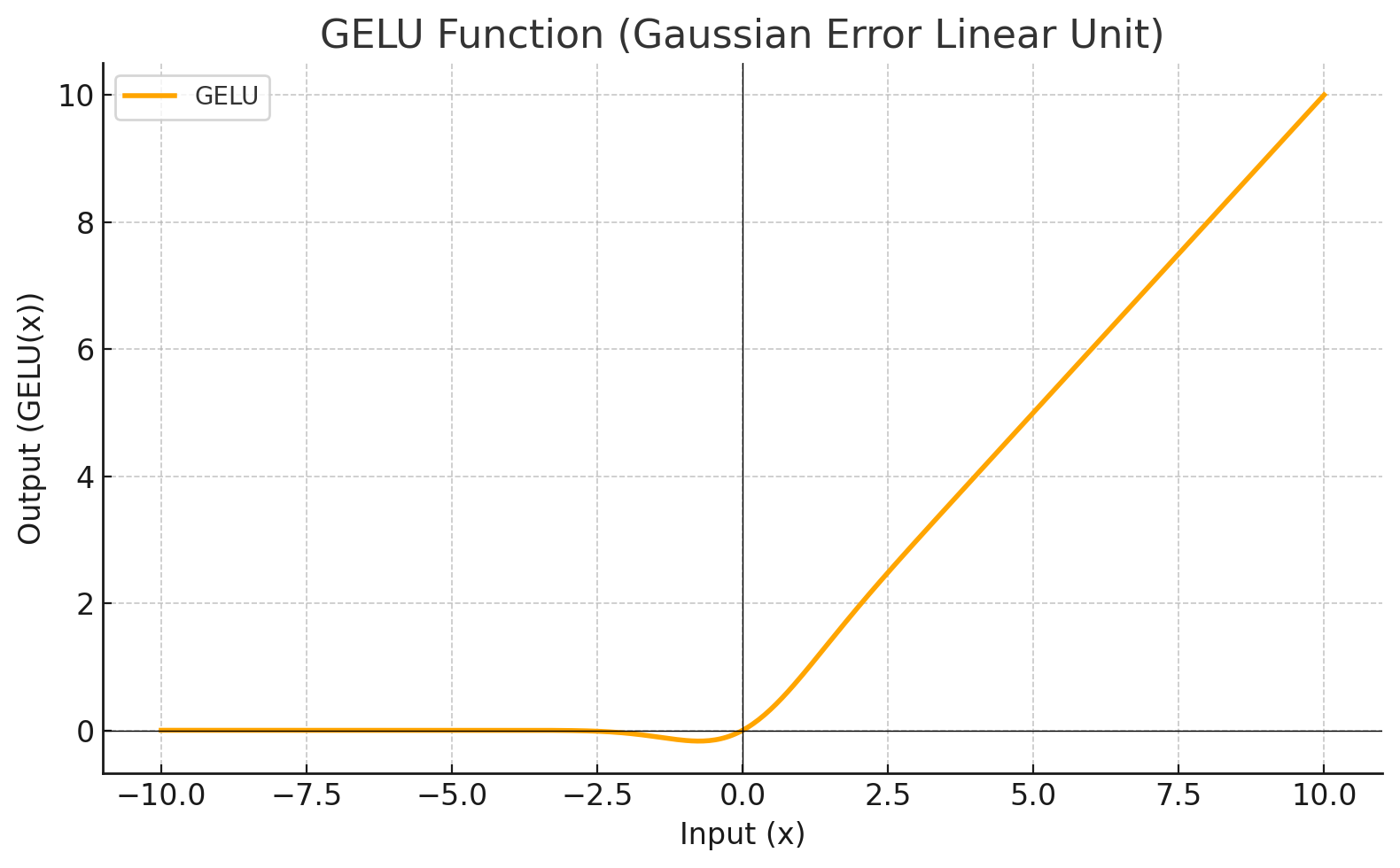
Each level define a mathematical function called Activation Function. This function receives the input from the previous level multiplied by the weight and produces the output for the next level.
Activation Function
Graphic
CUBE
ELU
HARDSIGMOID
HARDTANH
IDENTITY
LEAKYRELU
RATIONALTANH
RELU
RELU6
RRELU
SIGMOID
SOFTMAX
SOFTPLUS
SOFTSIGN
TANH
RECTIFIEDTANH
SELU
SWISH
THRESHOLDEDRELU
GELU
MISH
Training
The training of a neural network is the task to assign the best values to all the weights in order to minimize the difference between the model's prediction and the actual target value.
Loss Function
A loss function (also called a cost function or error function) measures the difference between a model's predictions and the actual target values. It quantifies how well the network is performing and guides the learning process by providing a numerical measure of the "error". The goal during training is to minimize the loss function, meaning the model's predictions should get closer to the actual values.
Configuring a Neural Network
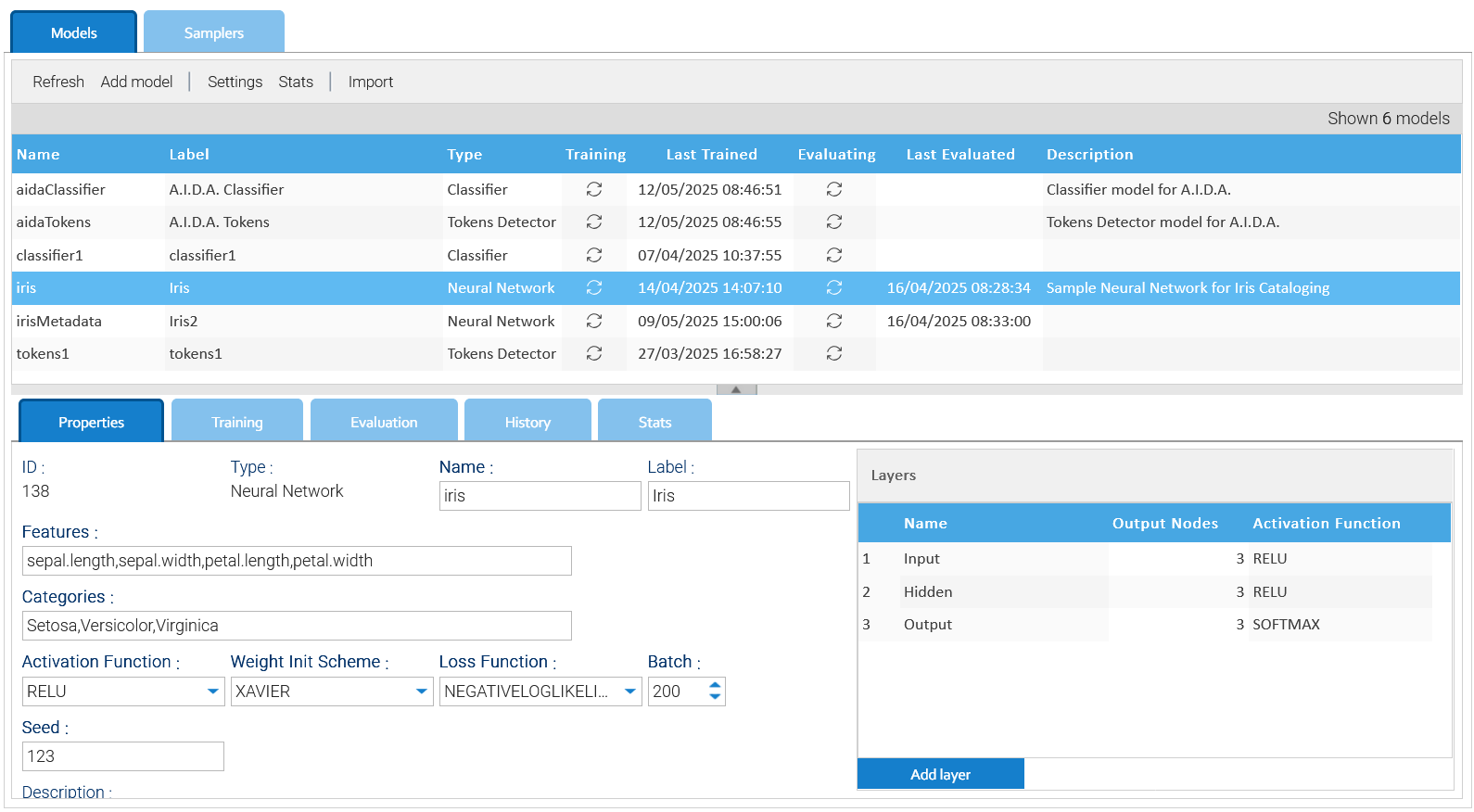
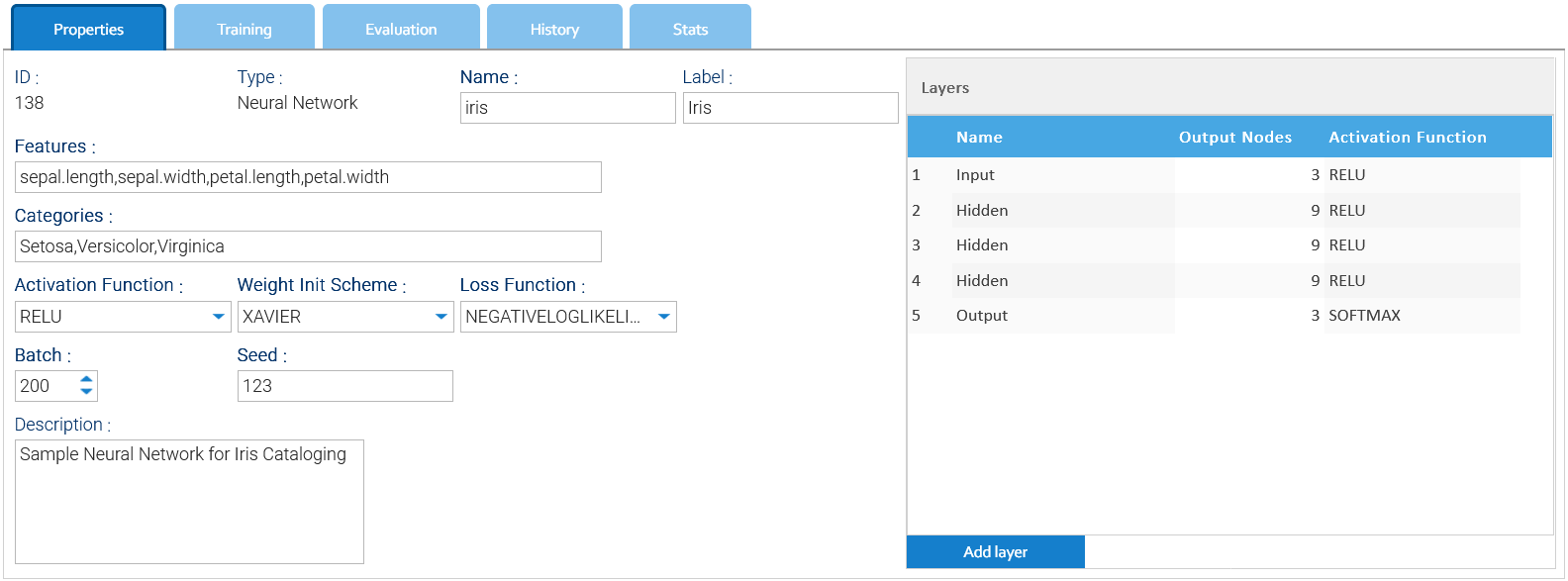
The input of a Neural Network is a tuple of numbers called features, so specify the name of each feature in the Features field as comma-separated string of names.
The output is one of the possible categories you specify as a comma-separated string of options in the Categories field.
Batch field represents the number of samples returned by the samples' iterator during the training.
Seed is a number used as seed for the internal random numbers generator.
Weight Init Scheme is the algorithm to use to give initial value to all the weights.
In the selector Loss Function,you indicate what function to use to measure the error of the predicted values.
The Activation Function selector just indicates the default function to use for the layers.
On the right side of the panel define all the layers, giving a specific activation function for each of them.
Evaluation
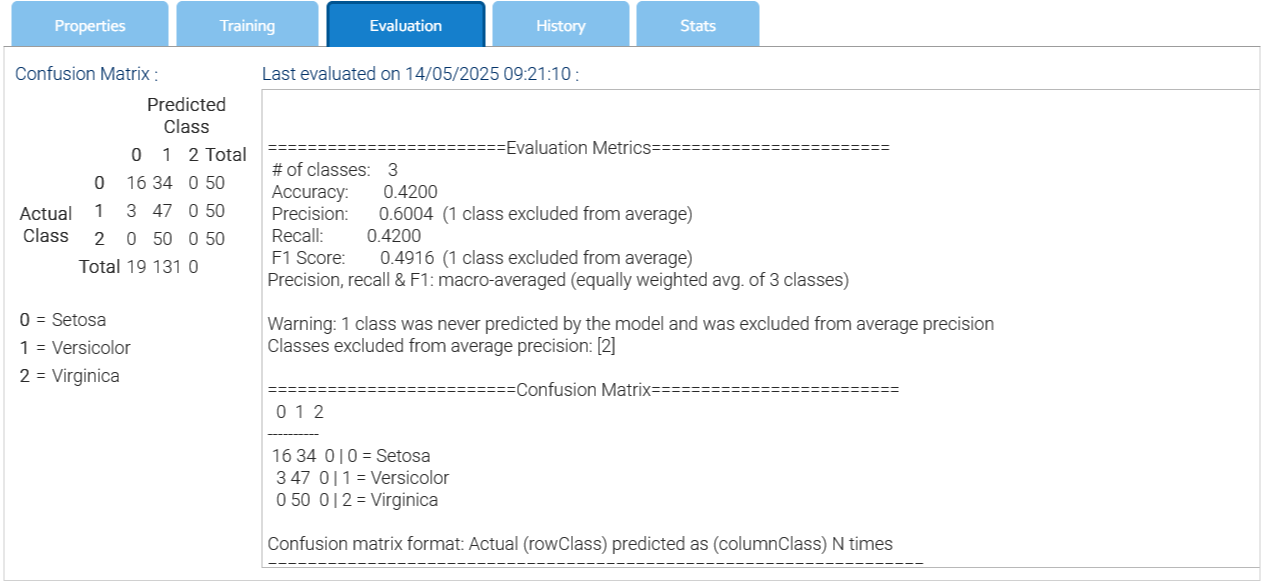
The evaluation allow you to test the network against a random subset of the same training data set, to launch the process choose the item Start Evaluation of the contextual menu and at the end look at the results in the Evaluation tab.
Confusion matrix
The confusion matrix is a synthetic representation of the performance of the neural network.
Here's a breakdown of what a confusion matrix shows:
Rows: Represent the actual (true) class labels of the data
Columns: Represent the predicted class labels by the model
Cells: Each cell in the matrix represents a specific combination of actual and predicted labels, with the number in the cell indicating how many instances fall into that category