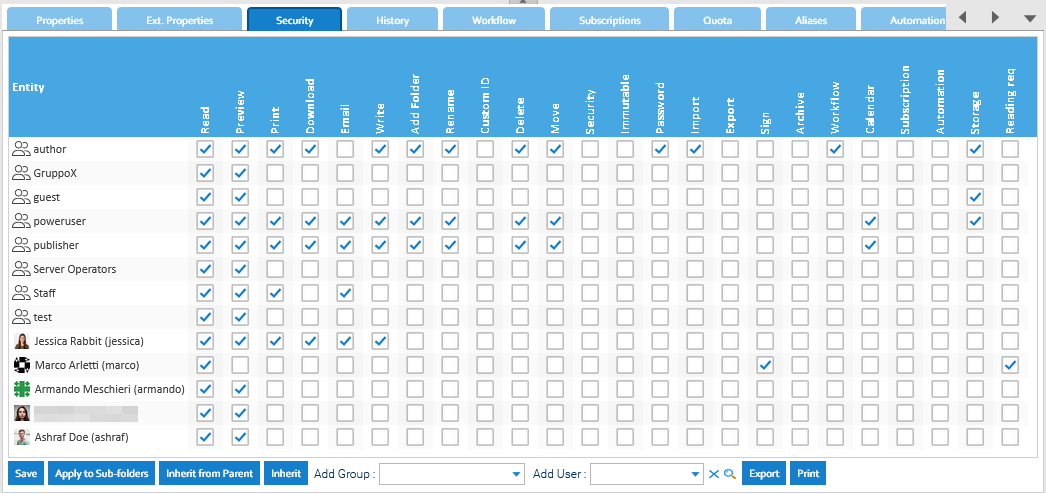
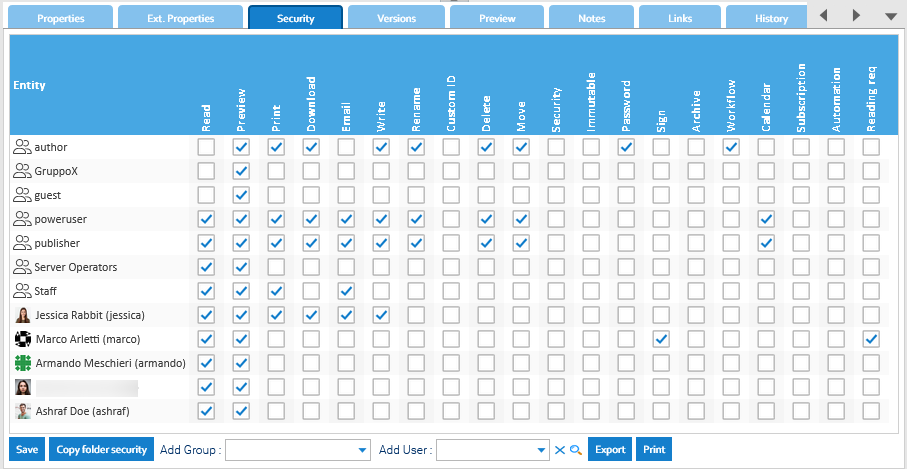
Into the Security panel, you fins some general settings related to the security of the system. Security Password rules You may define a set of rules to enforce a minimum quality of the password for the users. Use the Generate button to generate a...
The LogicalDOC Backup needs to be installed in the same server that is running your LogicalDOC. Download and launch the installation package for your system from the download website. During the setup, you will be prompted to provide the folder where...
This panel shows the list of all users currently existing into the system. To add a new user, you have to click on Add User button and then fill all the required data: Username Email First Name Last Name Language Group Each user can belong to one or...
Two-factor authentication is now recommended to secure login to Internet services and protect against phishing attacks and credential theft. This authentication generates two-step verification codes for the users on their devices, thereby increases the...
An API key is a simple encrypted string that you can use when calling LogicalDOC APIs. Each user can generate multiple API keys, and each one can be used by an external application to connect to LogicalDOC in the name of that user. This is more secure...
An API key is a simple encrypted string that you can use when calling LogicalDOC APIs. Each user can generate multiple API keys, and each one can be used by an external application to connect to LogicalDOC in the name of that user. This is more secure...
Instead of assigning access rights to each user individually(that in any case is also supported), we suggest administrators to assign permissions to groups, what in other systems you may see as "roles". Role-Based Access Control (RBAC) Role-Based...
The Automation is a pervasive aspect of the LogicalDOC platform and represents the way you have to program things using a simple scripting language. Sometimes you wish LogicalDOC to execute your own logic when something special happens during a...
In LogicalDOC, a group represents both a collection of users logically related each other and the concept of "role" as a collection of permissions to match specific responsibilities. The Groups panel shows the list of all groups currently existing into...
A set of behaviors and parameters of the user interface are configurable in the GUI Settings page. Welcome message: a message displayed to all the users when they sign in Preview window: percentage of the screen width occupied by the preview window...
You can access and edit the Firewall preferences by going to Administration > Security > Firewall The Firewall allows administrators to restrict or allow access to the system based on: IP addresses Hostnames Network ranges (CIDR notation) When enabled,...
The application is able to handle users authentication interacting with external systems in addition to the standard authentication. We can authenticate your users against ActiveDirectory and LDAP systems. Please enter the section Administration >...
Stamp is only allowed in the Documents screen for any document which is a PDF or can be converted to PDF. In order to stamp a document, it is necessary to have working integration with 3rd party software as described in the installation guide. You can...
The Custom Reports package leverages the reporting features of Eclipse BIRT, enabling users to create reports on the application's activity, directly from LogicalDOC. Users can create and generate reports, defining what...
Before you begin Before you begin, you need to generate encryption certificates for encrypting the SAML connection and load them in LogicalDOC You can use the Bash script from the logicaldoc/scripts repository on GitHub, or any other suitable method....
Before you begin Before you begin, you need to generate encryption certificates for encrypting the SAML connection and load them in LogicalDOC You can use the Bash script from the logicaldoc/scripts repository on GitHub, or any other suitable method....
Before you begin Before you begin, you need to generate encryption certificates for encrypting the SAML connection and load them in LogicalDOC You can use the Bash script from the logicaldoc/scripts repository on GitHub, or any other suitable method....
The Central Authentication Service (CAS) is the most used single sign-on protocol for the web. Its purpose is to permit a user to access multiple applications while providing their credentials (such as userid and password) only once. It also allows web...