Assuming p is required, the following 264 results were found.
Alerts on folder's events
about any event or just a selection of them. Here you can select the events you are interested in and confirm the subscription. Managing your subscriptions To manage your subscriptions, click the menu Account > Subscriptions You can see the list of...Compare documents and versions
Thanks to a configurable comparison system, you can compare two documents of the same format. To compare two documents, just select them, then right click and in the context menu choose More > Compare. [lightbox2...Deleted folders
This report shows you all the folders that were logically deleted, you can also filter by user and parent folder. You can interact with the elements of the report by right-clicking on them and choose one of the possible actions. When you choose to...Hardware Bound License
A Hardware Bound License is tied to the hardware of the server where you installed LogicalDOC in. Licenses of this type are associated with a specific device upon activation and do not work on other computers. To check if you are using a license bound...Configure Outlook Add-in
After installing the LogicalDOC Outlook Add-in, open Microsoft Outlook. A new LogicalDOC menu will be available in the Outlook interface. Open the menu and select Configuration to configure the connection to your LogicalDOC instance and the default...Import Archives
Into the Import Archives panel, you can configure the import from archives. Import Archives Into the Import Archives tab, you can see all the archives already imported or that are still waiting to be imported into the system. For each archive, are...Quota
With the quota, you can put limits in the usage of your system or specific tenants. The form below shows the actual usage for the different resources, and you can optionally put limitations. LogicalDOC guarantees that the system will not go over the...Import and Export
Inside the [Import and Export] section of the Administration, you can perform all the configurations regarding import from local and remote folder, import from email accounts, creating of archives and importing from archives. You can also find format...LogicalDOC Backup
LogicalDOC Backup is an optional component that can be installed if you need a dedicated backup solution for your document's repository. The main features of the LogicalDOC Backup module are: Archive compression and encryption Suitable for large...Legals
Here you find the list of all the legals that apply to your LogicalDOC.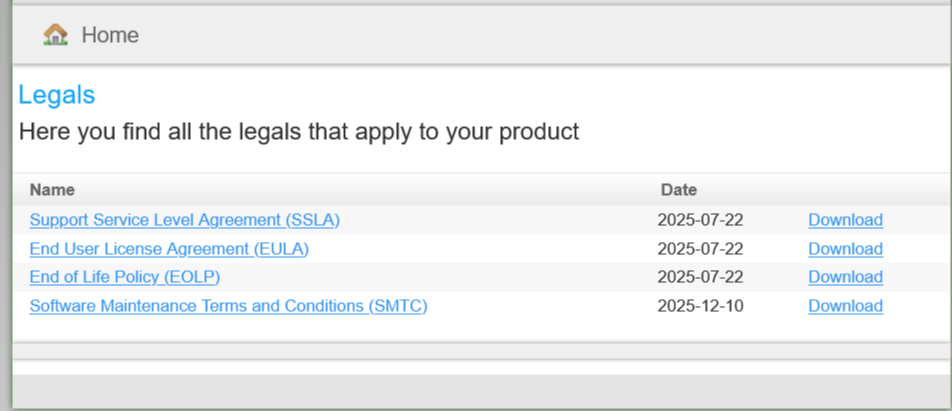
Delete
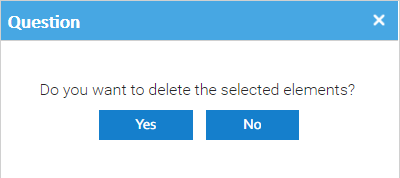
select the documents you want to delete and then select the [Delete] item of the context menu. Then you have to confirm the operation.