p is required
Install on Linux
To install on Linux, please follow these steps: Prepare the Database Install third-party Software Install the LogicalDOC application [alert style="uk-alert-warning"][heading size="h3" style="underline"] Make...Convert to different formats
to another different format. To convert a document, just select it and click on the Convert icon of the toolbar. Then in the popup window you can select one of the available output format and if you want to download the converted file or save it inside...Firewall
You can access and edit the Firewall preferences by going to Administration > Security > Firewall The Firewall allows administrators to restrict or allow access to the system based on: IP addresses Hostnames Network ranges (CIDR notation) When enabled,...Move
the documents list grid, select the documents you want to move and then select the [Cut] item of the context menu. This will put the current selection into the clipboard.Advanced Operations on Folders
is the area you can access to manage your documents, here you can find a browser that let you navigate the folders tree like a PC disk.Dashlets
A dashlet is a small window that appears in the user's dashboard. The purpose of a dashlet is to show useful information about the user's activities inside the system. Each user can customize his dashboard by placing a set of dashlets made available by...Search in Folder
advanced search to look for documents inside a folder selecting it and clicking on the [Search] menu item. The system will display the full-text search functionality with the search already set on the selected folder.Document History
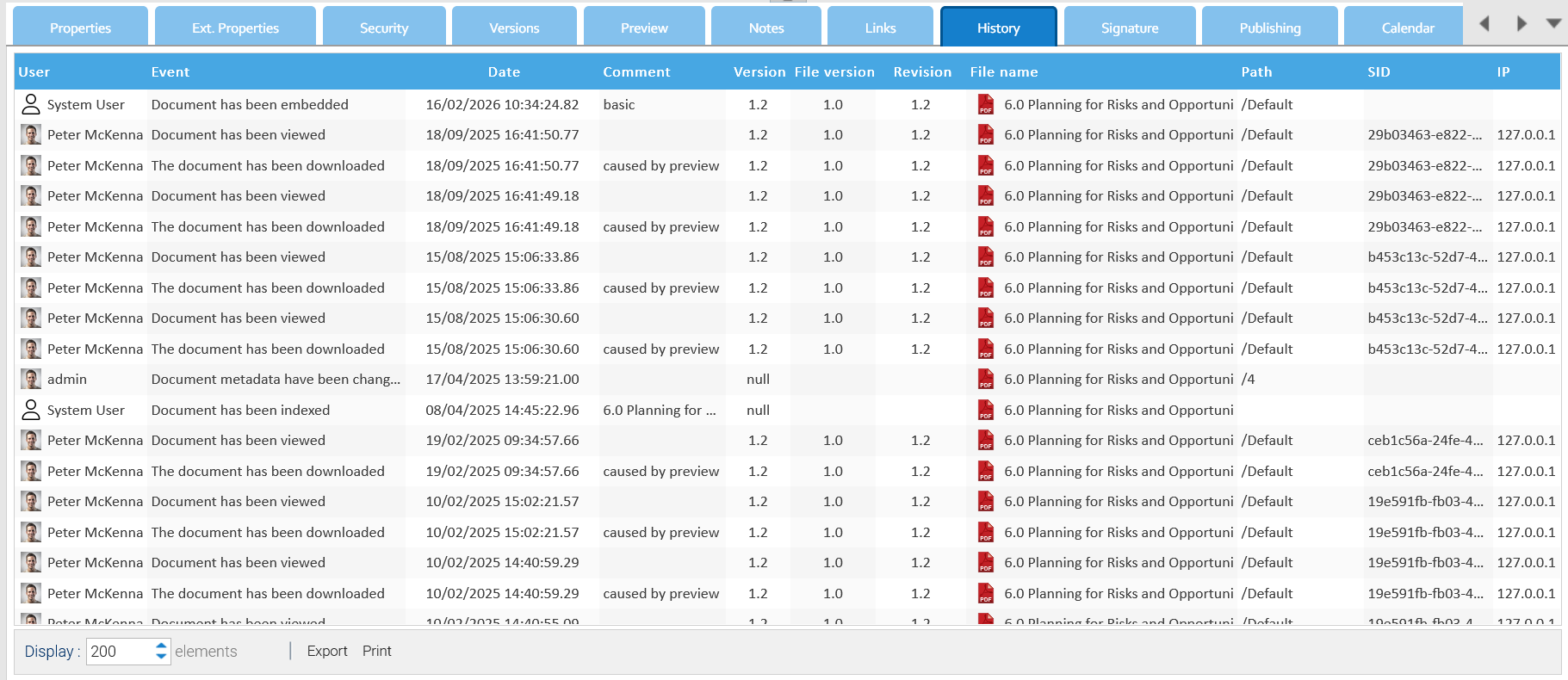
All the events that happen on each single document are recorded and available inside the document's History tab. [lightbox2 title="History" data-caption="cut document"...Advanced Operations on Folders
is the area you can access to manage your documents, here you can find a browser that let you navigate the folders tree like a PC disk.Dashlets
A dashlet is a small window that appears in the user's dashboard. The purpose of a dashlet is to show useful information about the user's activities inside the system. Each user can customize his dashboard by placing a set of dashlets made available by...Search in Folder
advanced search to look for documents inside a folder selecting it and clicking on the [Search] menu item. The system will display the full-text search functionality with the search already set on the selected folder.Document History
All the events that happen on each single document are recorded and available inside the document's History tab. [lightbox2 title="History" title="cut document"...Advanced Operations on Folders
is the area you can access to manage your documents, here you can find a browser that let you navigate the folders tree like a PC disk.Dashlets
A dashlet is a small window that appears in the user's dashboard. The purpose of a dashlet is to show useful information about the user's activities inside the system. Each user can customize his dashboard by placing a set of dashlets made available by...Search in Folder
advanced search to look for documents inside a folder selecting it and clicking on the [Search] menu item. The system will display the full-text search functionality with the search already set on the selected folder.Document History
All the events that happen on each single document are recorded and available inside the document's History tab. [lightbox2 title="History">