p is required
Access Control
Instead of assigning access rights to each user individually(that in any case is also supported), we suggest administrators to assign permissions to groups, what in other systems you may see as "roles". Role-Based Access Control (RBAC) Role-Based...Recommended Patch Process
This procedure requires LogicalDOC to have Internet access. If you are running an old version of the software or if LogicalDOC cannot directly access the Internet, you can configure a proxy server. If neither option is available, please follow the...OCR
Turn paper documents into full-text searchable digital files and manage them in a paperless document management system that incorporates advanced OCR software. Quickly and easily apply all the tools and functions of electronic document management to...Object Detection
Object detection is a computer vision technique that identifies and locates multiple objects within an image by predicting their classes and positions using bounding boxes. Unlike image classification, which assigns a...Fillers
Fillers are configurable components used to extract and populate structured information from documents automatically. They define how specific data, such as tags, language, and templates, are identified and retrieved from document content. Fillers are...Publishing
You can define the publishing status of each specific document by accessing the Publishing section. To be able to handle the publishing settings you have to belong to the admin or publisher group. Inside the Publishing panel you have the following...Autofill Using Fillers
LogicalDOC allows you to automatically populate document metadata using Fillers. Fillers analyze the content of a document and assign values such as tags, language, or template without manual input. Autofill can be performed in different ways depending...Designing a Workflow
To add a new Task in your workflow template, click the on Add Task button in the toolbar and a new square appears into the design panel. By default, it is a blue square, if you want to make it your initial task, just double click over it and select the...License Activation
After the purchase of your commercial edition, you will receive a User Number this is your identification ID you must provide everytime you need support. This user number is also your activation code you must use to activate the license. In order to...Users
This panel shows the list of all users currently existing into the system. To add a new user, you have to click on Add User button and then fill all the required data: Username Email First Name Last Name Language Group Each user can belong to one or...Prepare the Database on Linux
In order to set up a production system, you have to prepare a MySQL database where the application will store all data. To perform this step, make sure to have a MySQL up and running, so execute the command: /etc/init.d/mysql status Default settings...Configure SAML with Okta
Before you begin Before you begin, you need to generate encryption certificates for encrypting the SAML connection and load them in LogicalDOC You can use the Bash script from the logicaldoc/scripts repository on GitHub, or any other suitable method....GUI Settings
A set of behaviors and parameters of the user interface are configurable in the GUI Settings page. Welcome message: a message displayed to all the users when they sign in Preview window: percentage of the screen width occupied by the preview window...Configuring Whatsapp API access
Meta Business Manager at https://business.facebook.com.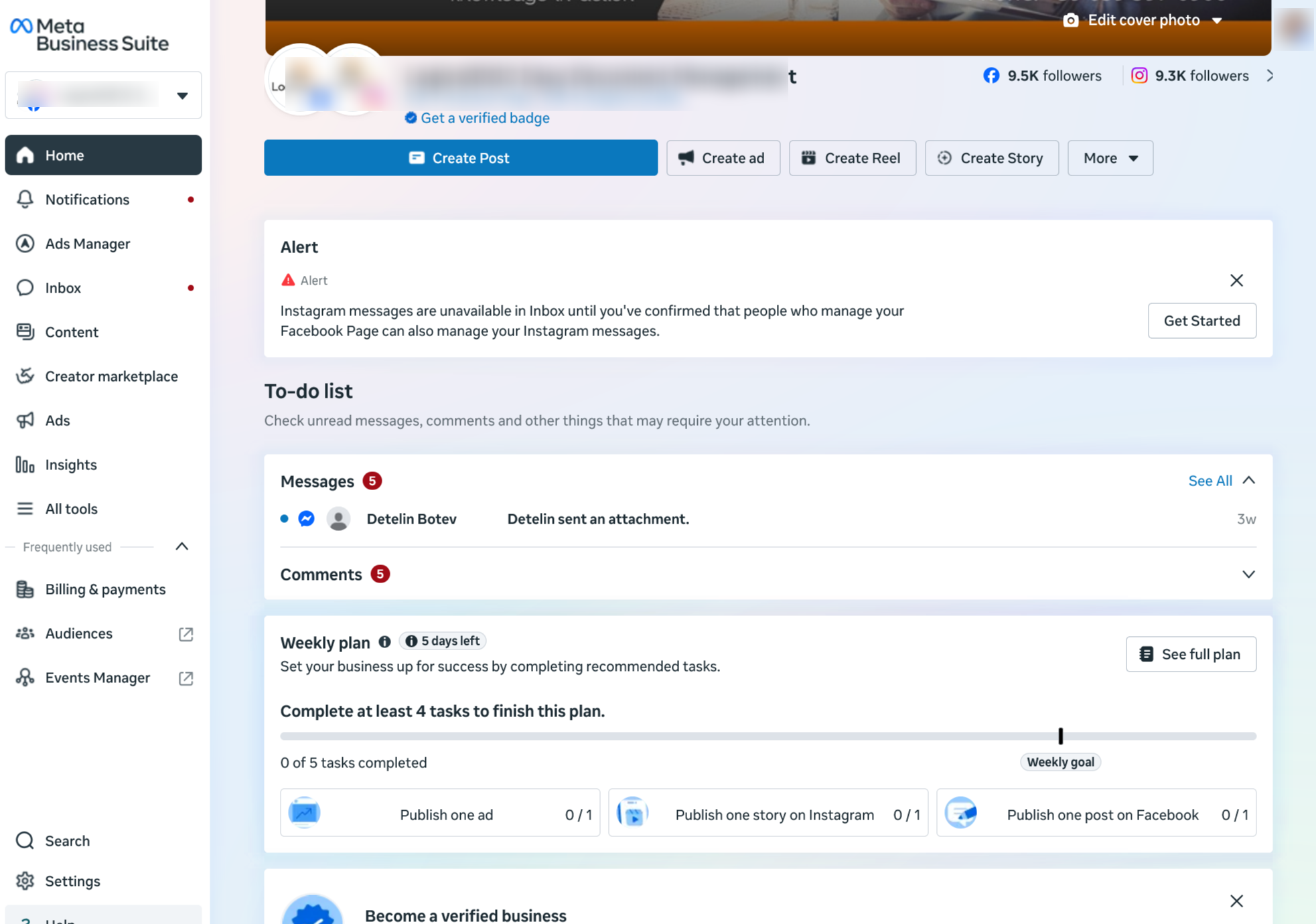
SAML Single Sign-On
Single Sign-On (SSO) is a way for users to log into multiple applications with a single user ID and password without having to re-enter their credentials. The SAML standard allows identity providers to pass credentials to service providers. LogicalDOC...Import Folders
This feature allows you to feed LogicalDOC with files stored in a set of local and/or remote sources. A typical scenario is when you want to introduce LogicalDOC at your premises, and you already have your corporate files stored in shared folders over...External Authentication
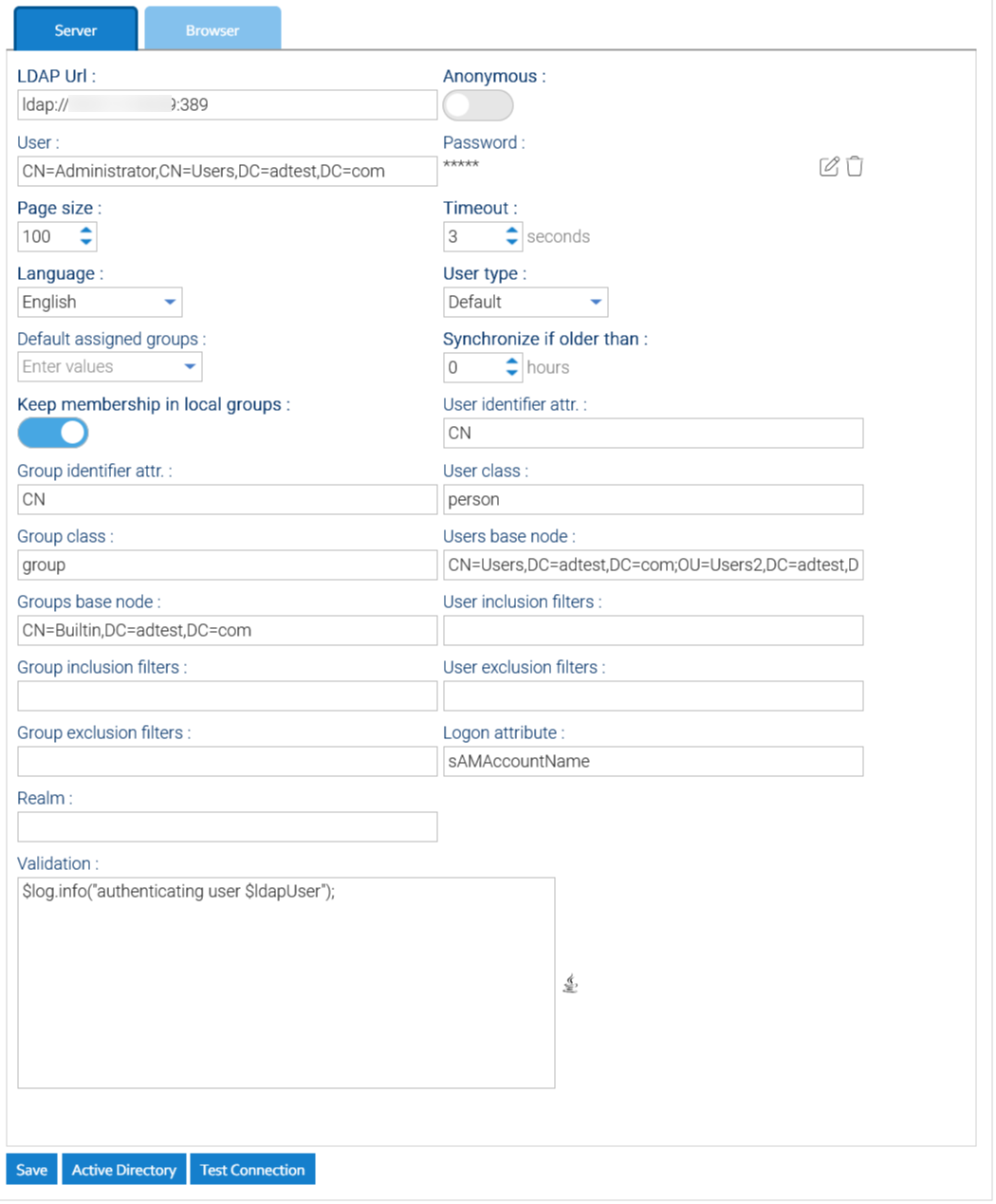
Please enter the section Administration > Security > External Authentication