

link is required

Snippets

link to a menu →

Warning

Body
[alert style="uk-alert-large"][heading size="h3" style="underline"]

Configuring DocuSign API access

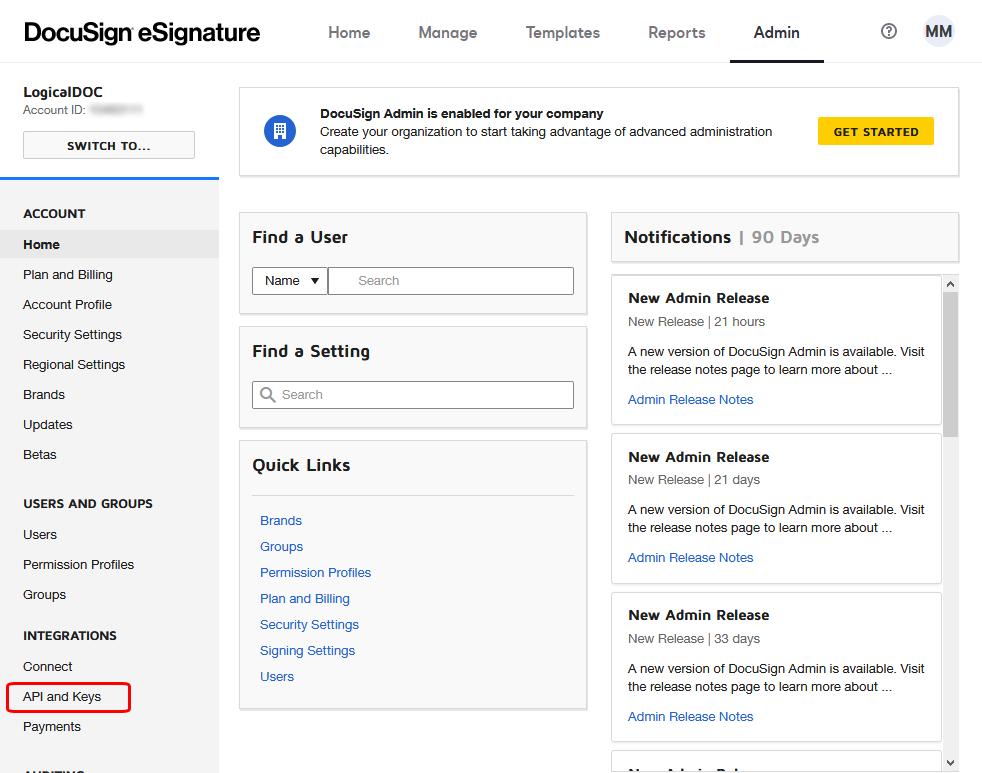
account, you have to prepare an integration key first, so enter your DocuSign administration and click on the API and Keys link in the INTEGRATIONS menu.

Configuring ShareFile API access

API Key first, so enter your DocuSign API console at https://api.sharefile.com administration an click on the Get an API key link. That will lead you to the API Key Generator:
Configuring ShareFile API access

API Key first, so enter your DocuSign API console at https://api.sharefile.com administration an click on the Get an API key link. That will lead you to the API Key Generator:
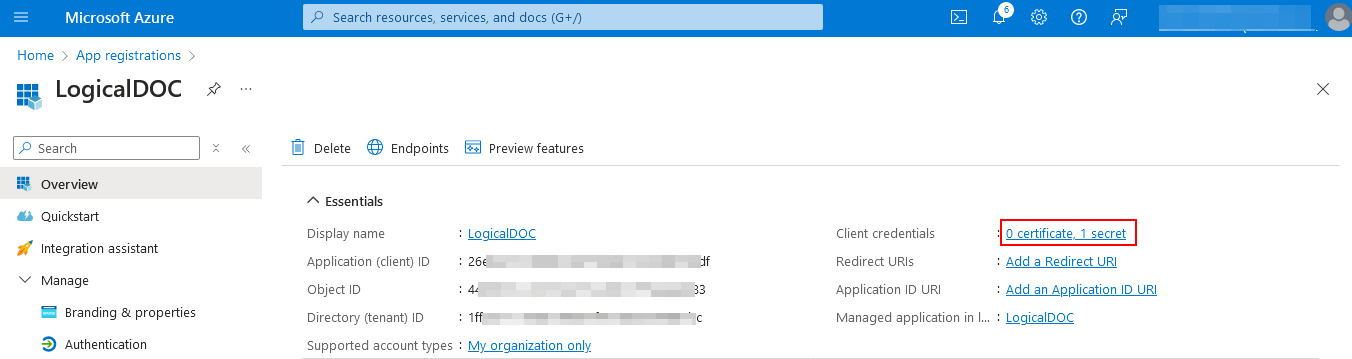
Here, click the Client credentials link and generate your secret. [alert style="uk-alert-warning"][heading size="h3" style="underline"][icon style="fa...

Updates

group="cportal">
Download When you want to download a specific package, just click on it's name or on the download link. In order to download you have to read and confirm both the Clanges Log and the Release Notes: [lightbox2 title="Customer Portal -...

Patches

of the fixes it brings. Download When you want to download a specific package, just click on it's name or on the download link. In order to download you have to read and confirm both the Changes Log and the Release Notes: [lightbox2 title="Customer...