All documents are stored in folders. It is similar to what is done on a local hard drive. Folders are logical collections of documents that are arranged in a hierarchical tree starting from the root folder. Organizing folders in an appropriate and...
This feature allows you to feed LogicalDOC with files stored in a set of local and/or remote sources. A typical scenario is when you want to introduce LogicalDOC at your premises, and you already have your corporate files stored in shared folders over...
A Folder Template is a structure of empty folders and sub-folders that may be applied to an existing folder in order to quickly create a tree within it. You can define as many templates as you want, each template has a name and a tree specification in...
The Automation is a pervasive aspect of the LogicalDOC platform and represents the way you have to program things using a simple scripting language. Sometimes you wish LogicalDOC to execute your own logic when something special happens during a...
Each folder has a set of standard metadata you can access and modify (if you have the proper permissions) in the Properties tab. ID: the unique identifier of the folder Path: the full path Name: the name that must be unique under the same node...
A Folder Alias is like a shortcut that you can create in a node of the folders tree to point to another folder stored somewhere else. Creating an Alias Just select a folder where you have the permission to create new items, right-click on it and select...
A set of behaviors and parameters of the user interface are configurable in the GUI Settings page. Welcome message: a message displayed to all the users when they sign in Preview window: percentage of the screen width occupied by the preview window...
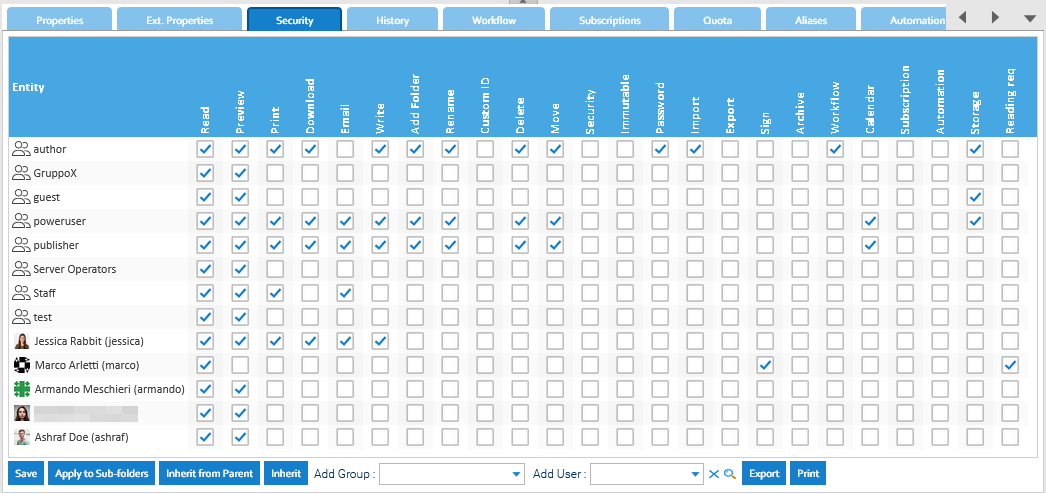
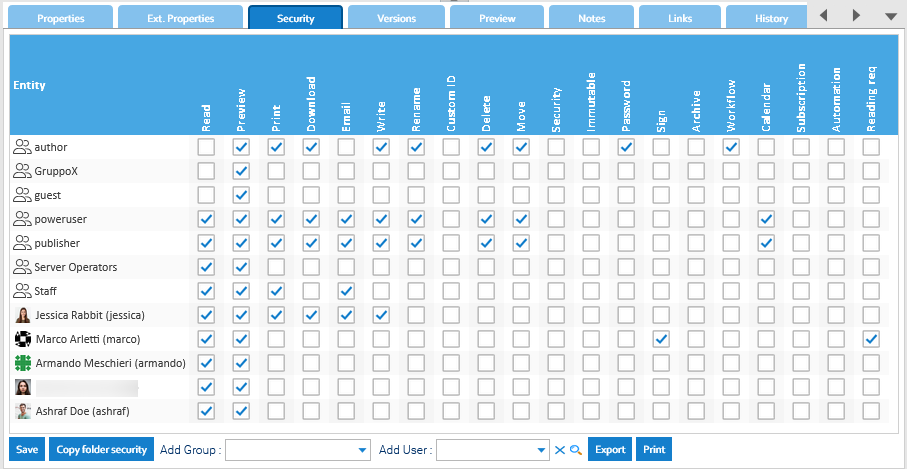
Instead of assigning access rights to each user individually(that in any case is also supported), we suggest administrators to assign permissions to groups, what in other systems you may see as "roles". Role-Based Access Control (RBAC) Role-Based...
Alerts are emails automatically sent to users when an event occurs in a folder. Users can follow the activities inside a folder. Subscribing to alerts You can subscribe to a folder or all the subtree by right-clicking on the folder and then selecting...
In order to copy a folder into another location, just right-click on the folder to copy and choose Copy. As first step, you must choose the target folder to copy to: You may also choose to copy using a different name and if just the folders' tree...
You can search for folders in the Folders section. To perform this kind of search you have to add as many conditions as you want on the folders's metadata. It is possible to restrict the search to a parent folder, a specific language and if you select...
Folders can be merged together. Just select one or more folders, then right-click on them and choose Merge. A new dialog window will ask to indicate the target folder where the original selection will be merged to. Of course, you cannot merge to a...
You can export whatever folder's tree as a Zip file, but you have to be granted the Export permission Just right-click on a folder and choose the Export to ZIP menu item. [alert style="uk-alert-warning"][heading size="h3" style="underline"][icon...
Tap on folders to navigate inside the tree, and tap on a document to open the preview. Now if you tap on the options menu located in the upper right corner you can access the details.
This report shows you all the folders that were logically deleted, you can also filter by user and parent folder. You can interact with the elements of the report by right-clicking on them and choose one of the possible actions. When you choose to...
In LogicalDOC, there are a variety of ways that a user can upload documents. The options are described below. It is important to remember that the user must select a folder with write permission to be able to create new documents. [alert...
The [Documents] is the area you can access to manage your documents, here you can find a browser that let you navigate the folders tree like a PC disk.