d is required
Configuring ChatGPT API
Before you can start integrating LogicalDOC with ChatGPT’s API, you need to get an API key to access it. 1 Create an account You can create a free account by signing up here. 2 Generate an API...Customer Portal
The Customer Portal is a secure and dedicated online environment that enables LogicalDOC's customers to independently access information, and manage their license. Enter the portal The portal is available at https://www.logicaldoc.com To enter put the...Security Settings
Into the Security panel, you fins some general settings related to the security of the system. Security Password rules You may define a set of rules to enforce a minimum quality of the password for the users. Use the Generate button to generate a...Subscriptions
The Subscriptions report lists all the subscriptions of the users to the alerts issued by the folders and files. You can restrict the list using the different criteria you find in the toolbar. You can also print and/or export the results. If you...Configuring Whatsapp API access
LogicalDOC can use WhatsApp as an additional channel to send notifications to users, such as the security key during two-factors authentication or alerts triggered by workflows. However, unlike other communication channels such as emails and system...Search in Folder
You can make an advanced search to look for documents inside a folder selecting it and clicking on the [Search] menu item. The system will display the full-text search functionality with the search already set on the selected folder.Brute Force Attack Prevention
you can fine tune your strategy to protect the system from brute force attacks. If a maximum number of login failures is detected for the same username, that username gets blocked for a given amount of minutes. If a maximum number of login failures is...License
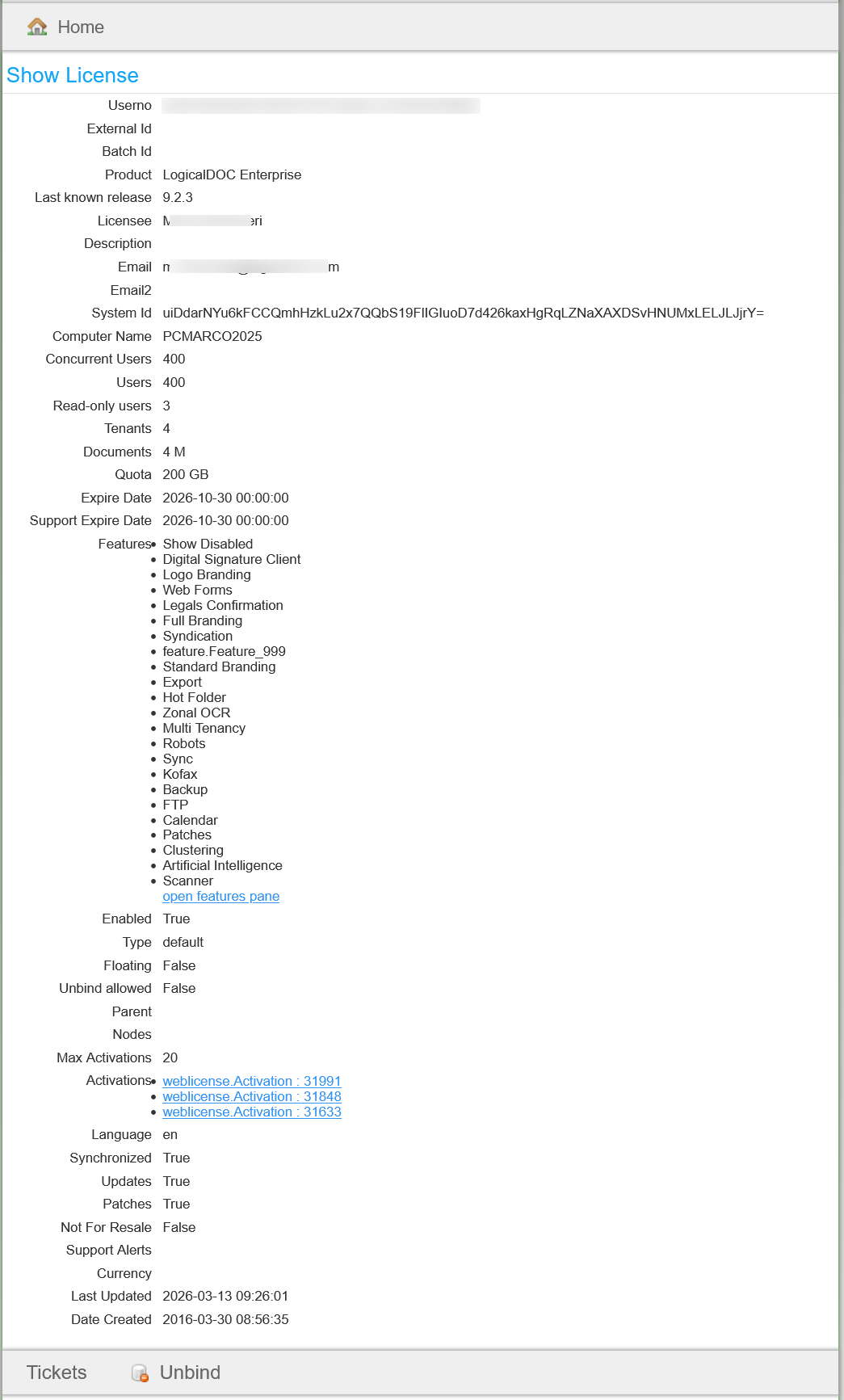
This is the most important section because it displays all the information about your license as it is recorded in the LogicalDOC's informative systemSearch
You can do simple full-text searches to find your documents by content. To do so, open the drawer panel you and tap the Search item.Tags
Here you can specify some general settings to handle the tags in your system. Input Mode: Free form or Preset Max. size: Maximum characters number for a single tag Min. size: Minimum characters number for a single tag Elements in tag selection: Maximum...Local and Global settings
Every LogicalDOC instance inside the cluster has its own configuration stored in conf/context.properties, this file stores all local settings in a simple key-value map. In this way each node can be independently configured through the Administration...VIA (Virtual Agent)
VIA is a virtual agent capable of responding to questions in natural language regarding the documents' retrieval. In practice, you can write an email like 'Hi LogicalDOC, can you find the contract of LiquidPaper Ltd ?" and get responded with the...Export Folder as a Zip file
You can export whatever folder's tree as a Zip file, but you have to be granted the Export permission Just right-click on a folder and choose the Export to ZIP menu item. [alert style="uk-alert-warning"][heading size="h3" style="underline"][icon...Receive backup reports by Email
The LogicalDOC Backup can send to a list of recipients a report with the result of each elaboration. This keeps you updated on the status of the backup of your system without the need to periodically inspect the logs. To allow the tool to send you the...Install third-party Software on Windows
To have additional features like the full preview, you need to install some external components. Ghostscript LogicalDOC uses Ghostscript to render the documents' thumbnails. Ghostscript is available at the following URL: https://ghostscript.com/ At the...Multi Tenancy
Normally, LogicalDOC is configured like a single-instance single-tenant environment, where each tenant (instance owner) runs a single instance that is installed on one server or across a cluster of them. Of course, LogicalDOC can also run multiple...Update
Our product is constantly improving, so each new version has a number of feature enhancements as well as issues resolved. We spend a lot of time making sure that upgrades are painless, however because of the large variety of configurations and...Invoice Approval
[lightbox2 title="Report Parameter" image="/images/stories/en/workflow/samples/invoice_approval.png" data-alt="Customer Portal - License" data-caption="Customer Portal - License" title="Customer Portal - License">