versioning is required
Compare documents and versions
Thanks to a configurable comparison system, you can compare two documents of the same format. To compare two documents, just select them, then right click and in the context menu choose More > Compare. [lightbox2...Versions
Take this section as a utility to check at any time the status of all the existing versions of LogicalDOC.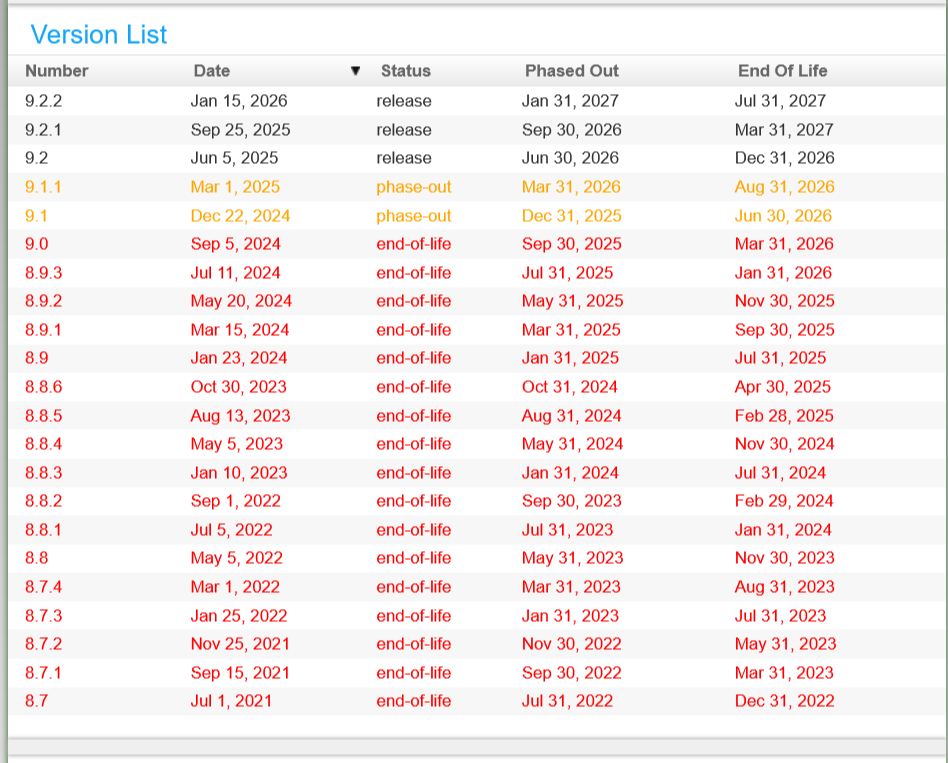
Workflow Designer
as xml file. The most common use of this function is to port the same workflow from a LogicalDOC instance to another. Versioning Each time you save a scheme, or you deploy it, a new version is created. In the Version dropdown list, you can recall all...Editing the content of a document
LogicalDOC handles the modifications of content through check-out/check-in cycles. However, these changes are only possible if you have the Write permission in the folder where the document is stored. The check-out operation locks the document so that...Microsoft Office Addin
open and edit documents, manage document properties and tags, and save new or modified files directly into LogicalDOC. Versioning and document locking are handled by LogicalDOC, helping users collaborate safely while maintaining the complete document...Save a Document
Click the Save or Save As button in the LogicalDOC ribbon to save the current Microsoft Office document into the LogicalDOC repository. The Save Document window allows you to browse the LogicalDOC folder tree, select the destination folder and specify...LogicalDOC Export
Unique identifier of the remote folder to monitor target Full path of the local folder that will receive the export versioning true = all the versions are exported; false = just the last version is exported filealias true = file aliases are exported;...Folder's Metadata
Each folder has a set of standard metadata you can access and modify (if you have the proper permissions) in the Properties tab. ID: the unique identifier of the folder Path: the full path Name: the name that must be unique under the same node...Comparators
A comparator is a component able to compare the contents of two files of the same format or different versions of the same document. In the Associations section, you can choose what comparator to use for a specific format. The drop-down list only shows...Parameters
In general, you configure LogicalDOC by accessing dedicated configuration sections inside the administration. However, there is a set of fine-tuning parameters collected in a single form located in the section Administration > Settings > Parameters...Document History
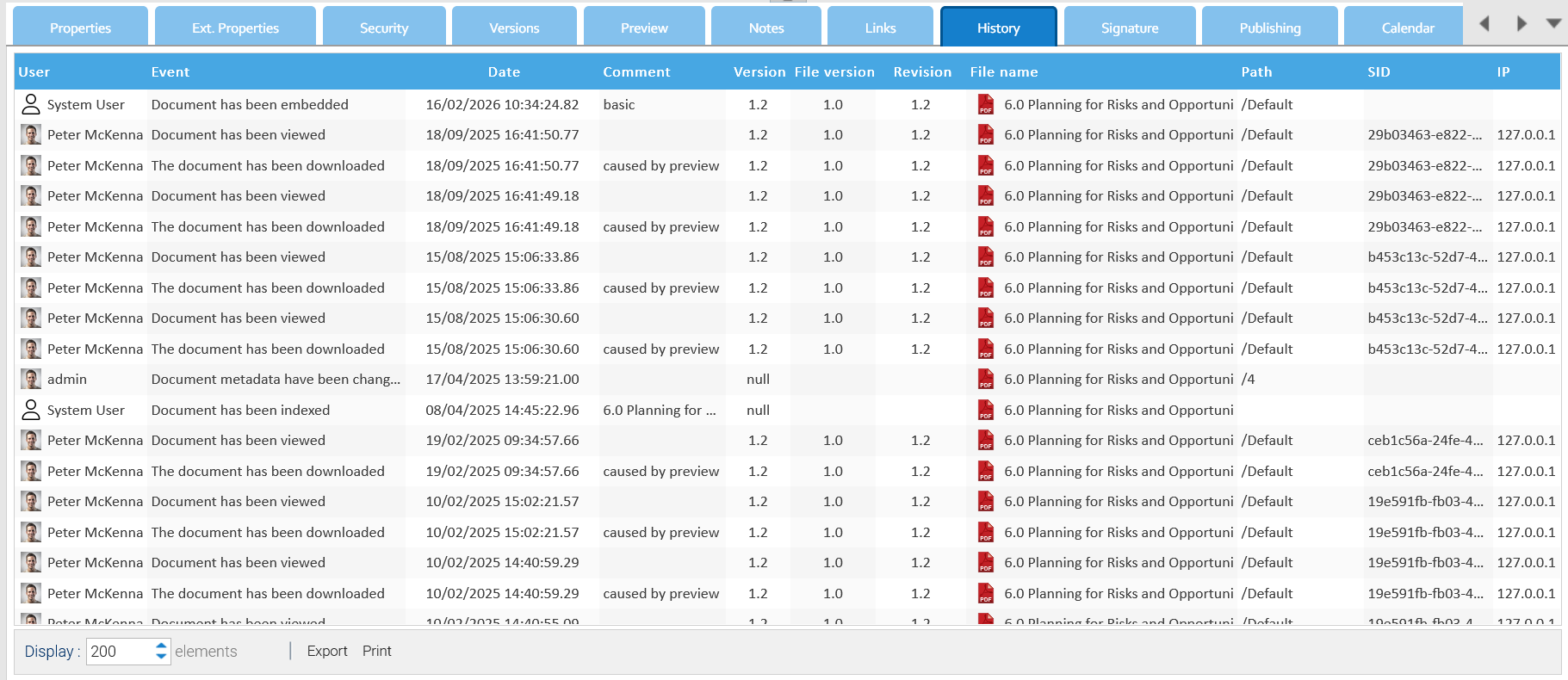
All the events that happen on each single document are recorded and available inside the document's History tab.