p is required
Local and Global settings
Every LogicalDOC instance inside the cluster has its own configuration stored in conf/context.properties, this file stores all local settings in a simple key-value map. In this way each node can be independently configured through the Administration...Extracting fields using the OCR
LogicalDOC allows the extraction of fields from your scans using barcodes or OCR zones. The prerequisite is that the document must be assigned to a template that define a list of extended attributes. Extract the fields with the Zonal OCR In the Capture...Folder Alias
A Folder Alias is like a shortcut that you can create in a node of the folders tree to point to another folder stored somewhere else. Creating an Alias Just select a folder where you have the permission to create new items, right-click on it and select...Reading Confirmation
Sometimes it is necessary to have evidence that a colleague has completely read a certain document, for example an important contract, a project or a medical diagnosis. With LogicalDOC you can invite one or more colleagues...Language Detector
the language of a document based on its textual content. This enables the system to classify documents by language and support language-specific processing workflows. The model is based on a pre-trained implementation provided by Apache OpenNLP and does...GhostScript
LogicalDOC needs to print documents to a virtual device sometimes when performing barcode recognition. In general, in GhostScript is a package installed by default in all Linux distributions. On Ubuntu, you can install in this way $ sudo apt-get...Certificate (digital signature)
LogicalDOC offers PDF digital signing capabilities. In case you want to sign a document that is not PDF, its PDF conversion will be signed. Top-Level View From a high-level functional point of view, here is what users need to be able to do using the...ShareFile
LogicalDOC integration with ShareFile allows you to import and export documents and folders between both applications. ShareFile integration appears in LogicalDOC as an entry in the Tools menu when whatever folder is...Workflow triggers
Workflows can be automatically started when documents are created into a specific folder. If you have the Workflow permission in the current folder, you can configure the automatic workflow execution. In the Workflow tab of the folder's properties...Invoice Approval
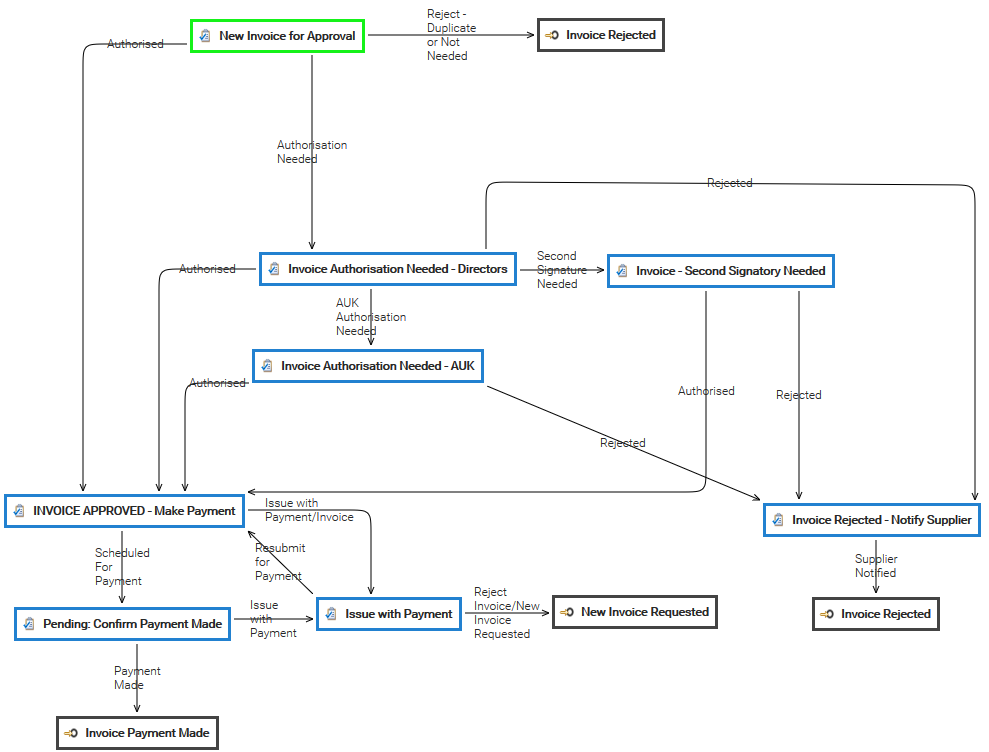
Tickets
This section collects all the tickets raised for your installation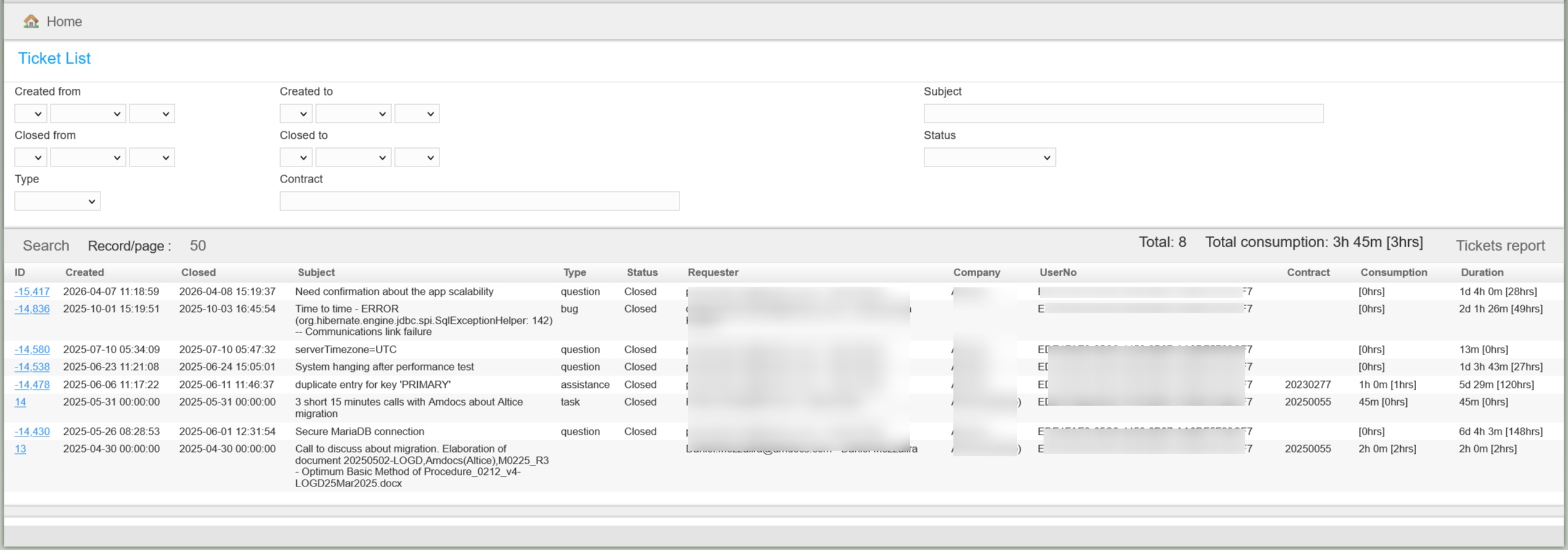
Setup a Node
A cluster node is basically a LogicalDOC instance installed on a server in the same subnet. Please read the Installation Guide to install the application Once installed, you have to enter the section Administration > System > Clustering and enable the...Versions
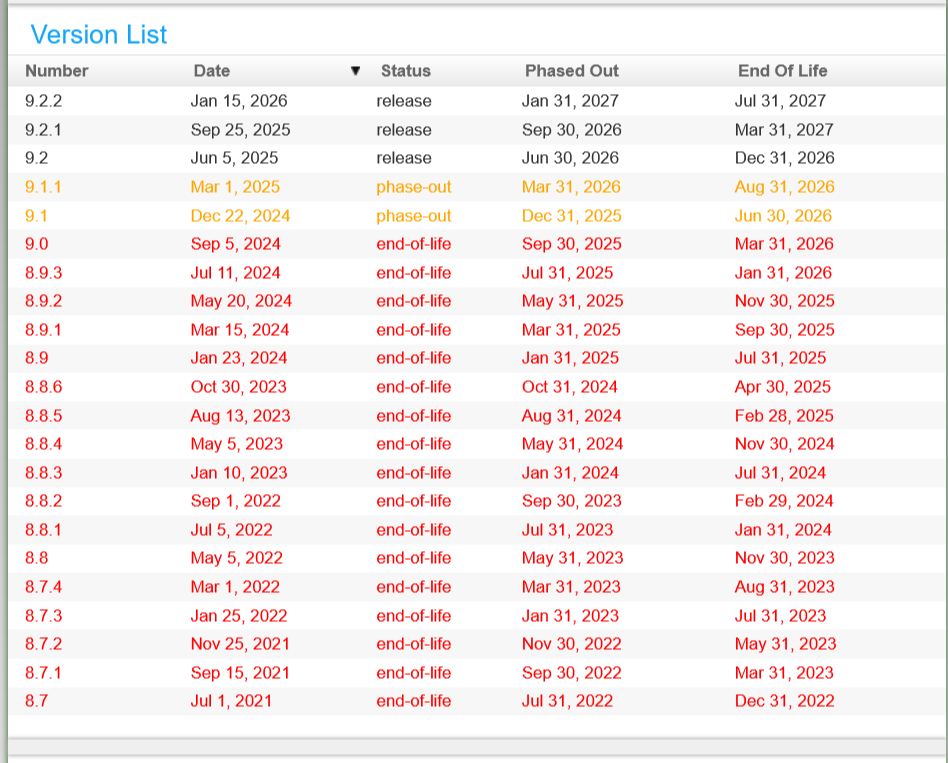
section as a utility to check at any time the status of all the existing versions of LogicalDOC.