e is required
Configuring ChatGPT API
Before you can start integrating LogicalDOC with ChatGPT’s API, you need to get an API key to access it. 1 Create an account You can create a free account by signing up here. 2 Generate an API...Profile
You can manage the details of your profile by opening the menu Account > Profile Here you fill your information and can also change the avatar image by right-clicking on the current one and upload one of your photos. The Language is the most relevant...Install a Trained Model
Training AI models is a computationally intensive and time-consuming process, often requiring specialized hardware and large datasets. For this reason, not all models can be trained directly within LogicalDOC. To simplify adoption, the system allows...Multi Tenancy
Normally, LogicalDOC is configured like a single-instance single-tenant environment, where each tenant (instance owner) runs a single instance that is installed on one server or across a cluster of them. Of course, LogicalDOC can also run multiple...Recommended Patch Process
This procedure requires LogicalDOC to have Internet access. If you are running an old version of the software or if LogicalDOC cannot directly access the Internet, you can configure a proxy server. If neither option is available, please follow the...Custom ID and Naming
In this section you can configure rules to automate the custom identification, the naming and the auto foldering of your documents at creation and/or check-in time. Each rule is associated to a specific document's template, while the special default...Webstart
A set of features in LogicalDOC require the execution of a small Java application in the client PC. This application is a simple java archive .jar that must be downloaded in your Windows PC and executed through the Java runtime (usually a double click...Clear Browser Cache
Each time your installation is upgraded, you have to clear the Web browser cache in order to force the browser to load the latest version of the Graphical User Interface. Internet Explorer Click Tools from the Internet Explorer menubar Click Internet...Impersonation
The Impersonation feature allows a user to operate on behalf of another user, provided that explicit authorization has been granted. This mechanism is useful where one user needs to act with the permissions and identity of another. Authorization Rules...Creation
Into the [Workflow] panel you can create and configure a new workflow template. Clicking on [New Workflow Template] you can configure a new workflow template. The workflow settings consists of: Name Description Task-Assignment Reminder Supervisor In...Configuring Google Password
Starting January 2025, less secure apps, third-party apps, or devices that have you sign in with only your username and password will no longer be supported for Google Workspace accounts. For this reason, an App Password must be used instead of your...Language Detector
The Language Detection model automatically identifies the language of a document based on its textual content. This enables the system to classify documents by language and support language-specific processing workflows. The model is based on a...Quota
With the quota, you can put limits in the usage of your system or specific tenants. The form below shows the actual usage for the different resources, and you can optionally put limitations. LogicalDOC guarantees that the system will not go over the...Customer Portal
The Customer Portal is a secure and dedicated online environment that enables LogicalDOC's customers to independently access information, and manage their license. Enter the portal The portal is available at https://www.logicaldoc.com To enter put the...License Management
Each LogicalDOC installation has it's own license that contains the list of available features and various operating parameters like the maximum number of users and documents. Your license is identified by a unique User Number also known as Activation...VIA (Virtual Agent)
VIA is a virtual agent capable of responding to questions in natural language regarding the documents' retrieval. In practice, you can write an email like 'Hi LogicalDOC, can you find the contract of LiquidPaper Ltd ?" and get responded with the...Document History
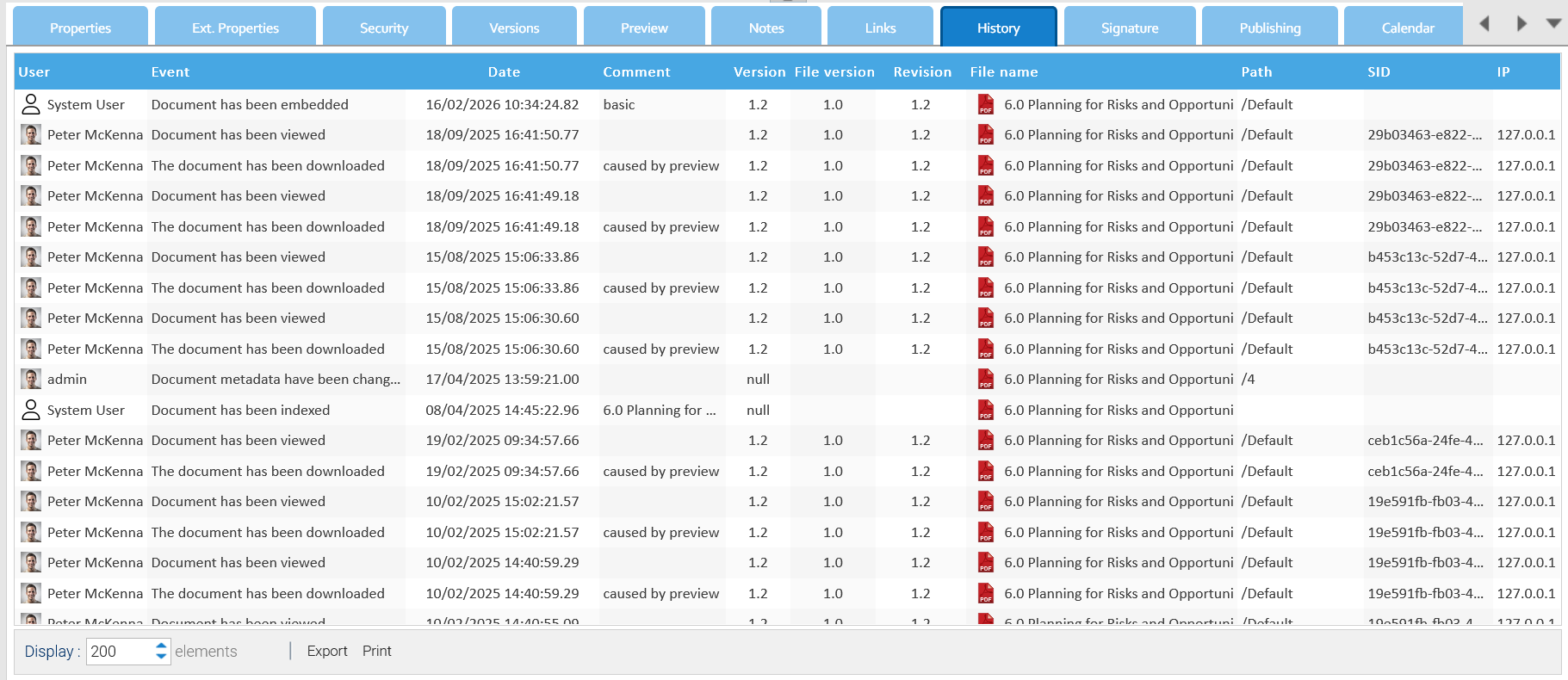
All the events that happen on each single document are recorded and available inside the document's History tab.