When you connect to Microsoft 365 mail boxes, it is mandatory to use the OAuth v2.0 authentication scheme via IMAP. LogicalDOC uses the client credential flow to obtain the OAuth Token. Register LogicalDOC as application in the Azure Portal Open your...
If you have the write permission in the current folder, you can create a new PDF document by filling the fields with one of the available forms. To do so, click on the Add a form icon and select one of the available forms. Click on Save to confirm, and...
Hardware requirements may vary based on the number of concurrent users, repository size and system configuration. Larger implementations may require some configuration tuning to perform optimally. LogicalDOC Commercial Subscribers may contact the...
With LogicalDOC, users can centralize all of their company's information in a single access point, which guarantees data security. As a result, only authorized users will have access to specific data. LogicalDOC also provides a complete audit service....
You may search by tags by opening the Tags section. Here, click on the desired symbol or type it by your own. In the list below, it will be shown the set of tags starting with the selected symbol. Double-click on a tag to launch the search. By default,...
ChatGPT can understand and produce text like humans. It has been designed to process and generate natural text in several languages. With this AI connected with LogicalDOC, users can type a prompt or question about their...
A Folder Template is a structure of empty folders and sub-folders that may be applied to an existing folder in order to quickly create a tree within it. You can define as many templates as you want, each template has a name and a tree specification in...
When your search is more concerned on the parameters of the document, you could use the Parametric Search feature. To perform this kind of search, you have to add as many conditions as you want on the document's metadata. It is possible to restrict the...
In order to copy a folder into another location, just right-click on the folder to copy and choose Copy. As first step, you must choose the target folder to copy to: You may also choose to copy using a different name and if just the folders' tree...
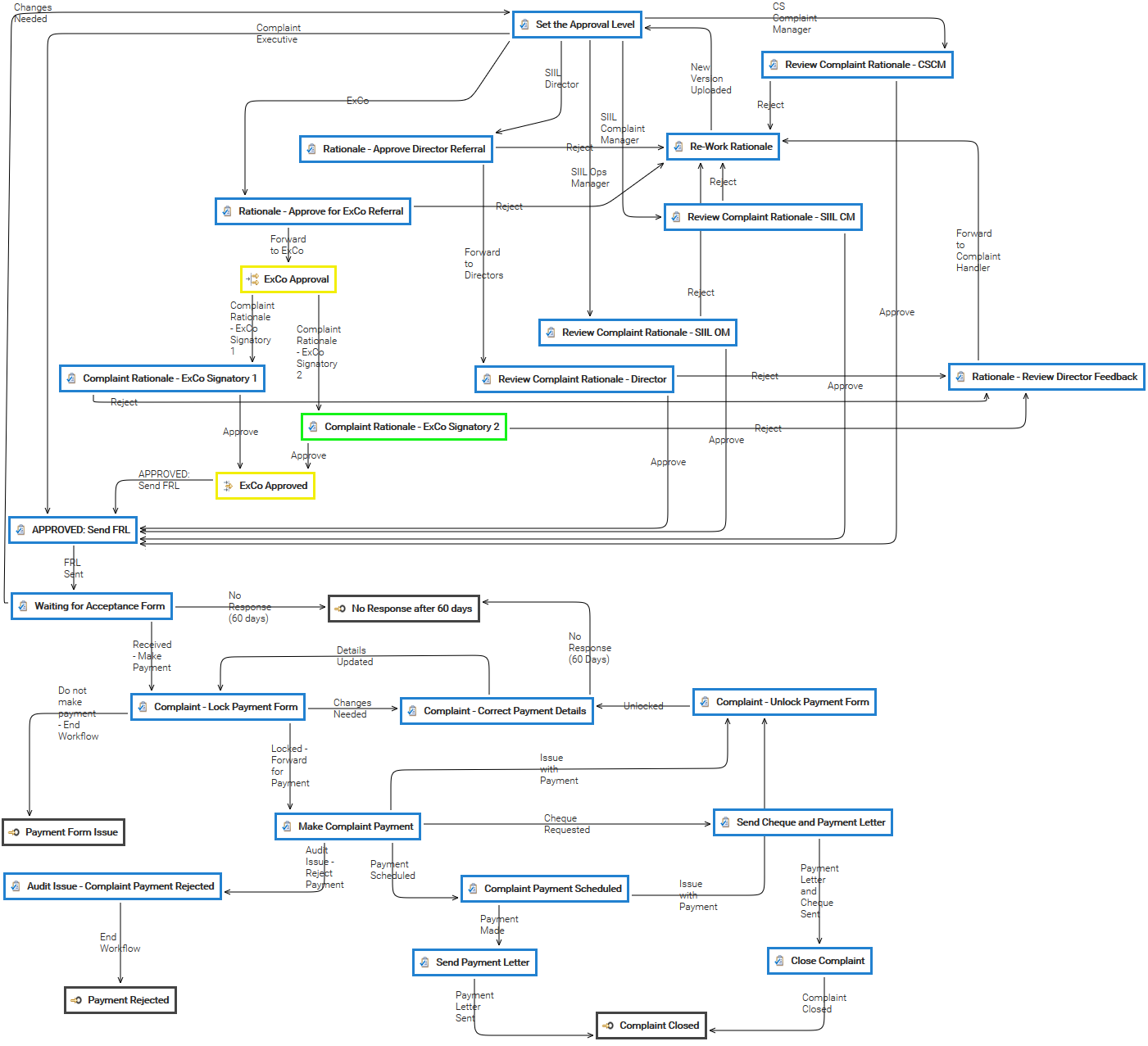
has one status, that is the currently executing task. When the workflow starts the status is the initial task you have declared in the template designer, that the status changes according with the transitions selected by people completing their work....
Kofax Express is an easy-to-use, batch-oriented document scan application for Windows capable of high-speed scanning with real-time Zonal OCR and indexing. You can find more information here: http://www.kofax.com/document-scanning-software The Kofax...
In the toolbar, you can save the current search by pressing the Save button of the toolbar. Then insert the name of the saved search and an optional description. In the Saved Searches section, you can find the list of your saved searches. Double-click...
The [Documents] is the area you can access to manage your documents, here you can find a browser that let you navigate the folders tree like a PC disk.
This guide shows how to generate a personal API key in LogicalDOC and use it to connect the Office Add-in. Keep the generated key private; LogicalDOC displays its full value only when it gets created. 1
Open API Keys Sign...
This manual unbind procedure can be used when the LogicalDOC's server is isolated from the Internet and cannot contact the remote license manager. Using a device with Internet connection, go to the customer's portal at https://network.logicaldoc.com...
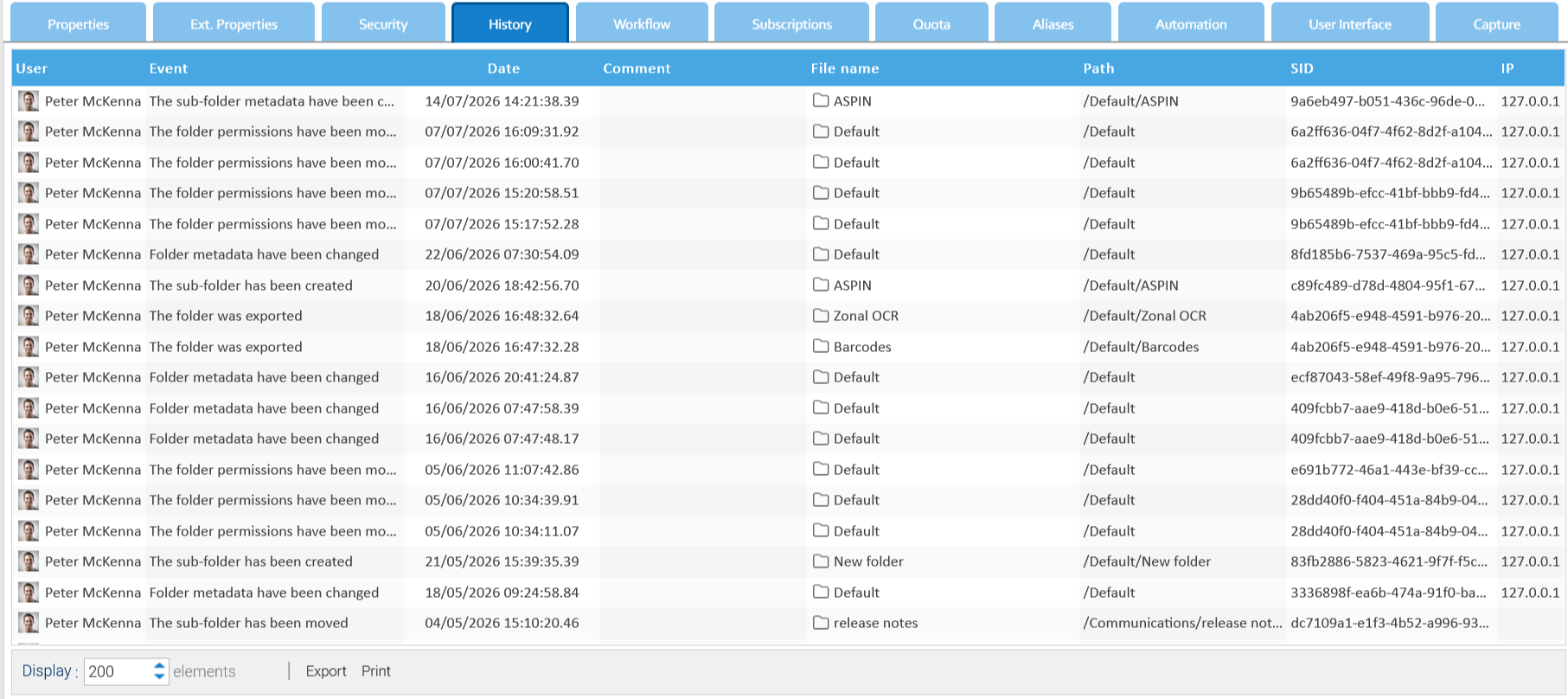
In the Last Changes panel, you can retrieve the last events on folders and documents and the last user session activities. You can perform a search to enlist the activities performed on the defined date range and regarding a specific and exact User,...
In order to configure tenants, you have to log in with the admin account. Once in the system, go to Administration > System > Tenants The list of all tenants in the system is shown. Create a new tenant Click on Add tenant and fill in the form below....
The License Unbind is the procedure to detach the license from the current hardware so it can be activated in another computer. From the license page, click the button Unbind and wait for the completion of the procedure. At the end, your license has...