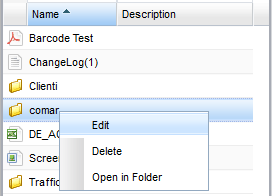
Adding Bookmark
Bookmarking folders is a common operation that allows you to quickly access your most important folders. To add new bookmarks, you have to select the folder you want and then click on the [Add bookmark] context menu item.
Once the bookmark has been created, you can check that it appears in the general [Bookmarks] section in the accordion panel on the left side. Here you can see the complete list of your bookmarks, by clicking on a bookmark you will be redirected to the referenced folder, or you can use a context menu to edit and delete existing bookmarks.